Accessing the System settings menu on Westpay terminal

Modified on Thu, 4 Jun at 6:29 PM

This article explains how to enter the System settings menu on various Westpay terminals. This is often the first step that needs to be taken to configure or troubleshoot the terminal. 

Westpay C10

From EPAS mode

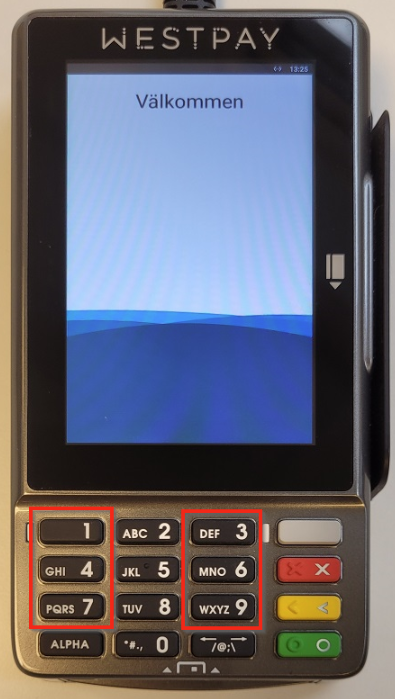
  • If Välkommen or Terminal stängd is displayed on the screen, type 147369 on device keypad. 

Westpay C100+

From EPAS mode

  • If Välkommen or Terminal stängd is displayed on the screen, type 147369 on device keypad. 

From p@t mode

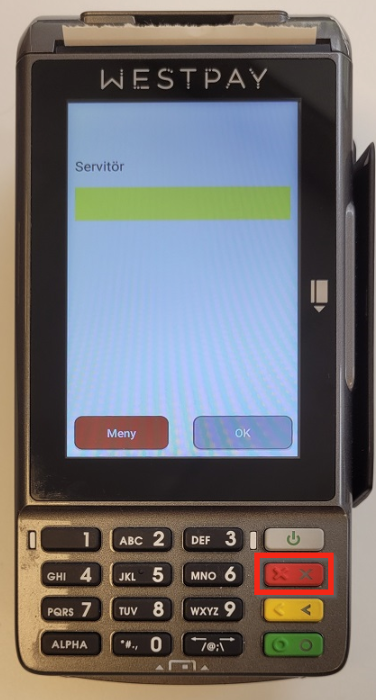
  • If Servitör is displayed on the screen, press the red button on the keypad to enter the device menu:
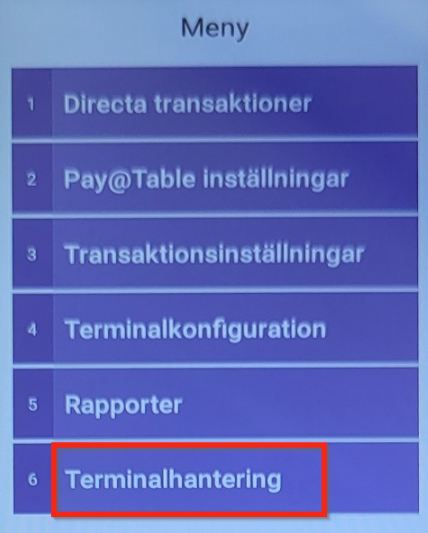
  • Select 6. Terminalhantering:
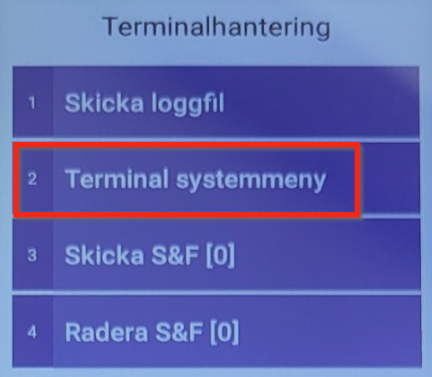
  • Select 2. Terminal systemmeny:

Westpay C150

From EPAS mode

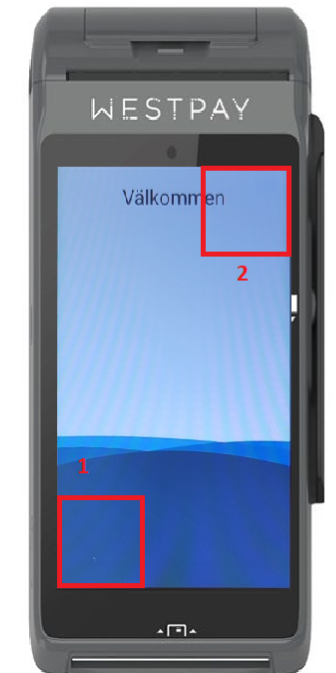
  • Tap two times in the lower left corner and two times in the upper right corner. 

From p@t mode

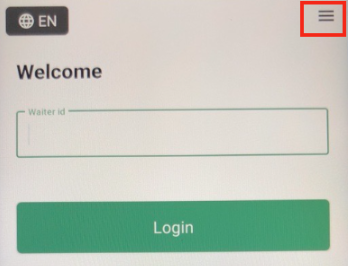
  • Select the menu icon in the top right part of the screen.
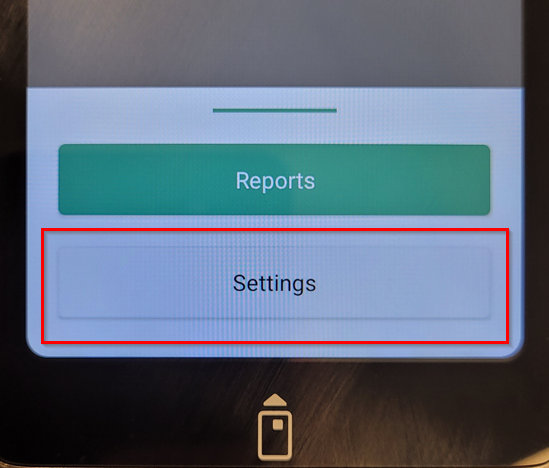
  • Select Settings
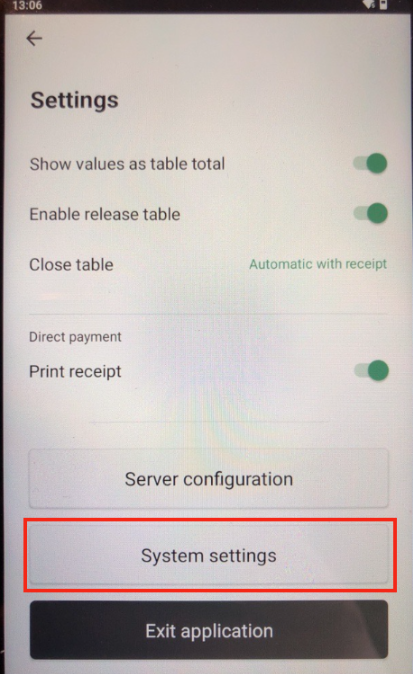
  • Select "System settings".

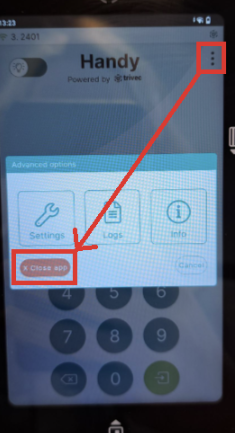
From HandyPay mode

  • Shut down Handy by selecting the three dots in the upper right corner and selecting the red "Close app" button. 
  • Tap two times in the lower left corner and two times in the upper right corner. 

What's next?

Once you are in the System settings menu, you can do the following:

Was this article helpful?

That’s Great!

Thank you for your feedback

Sorry! We couldn't be helpful

Thank you for your feedback

Let us know how can we improve this article!

Select at least one of the reasons
CAPTCHA verification is required.

Feedback sent

We appreciate your effort and will try to fix the article