This guide explains how to configure iPP350 and Lane/3000 devices.
Configuring the terminal
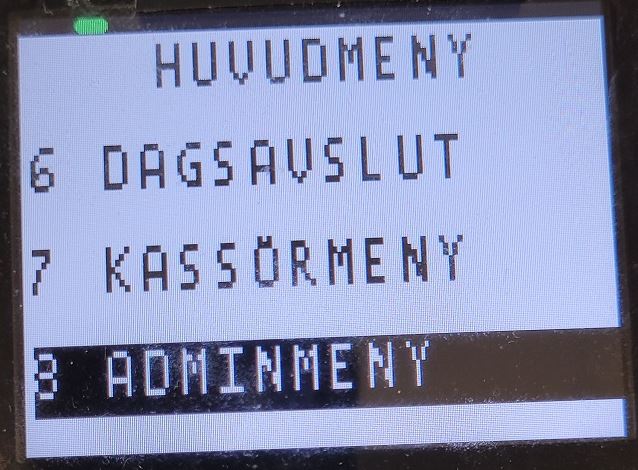
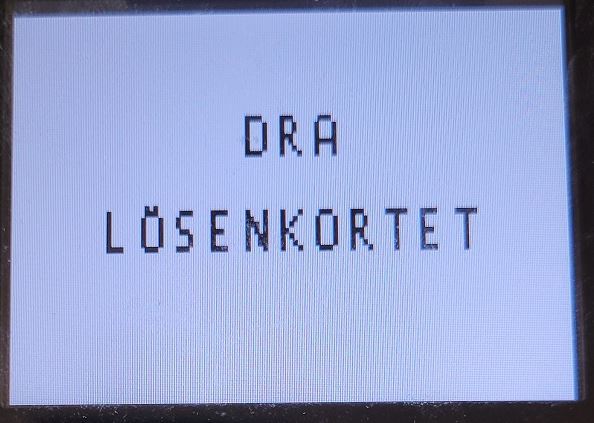
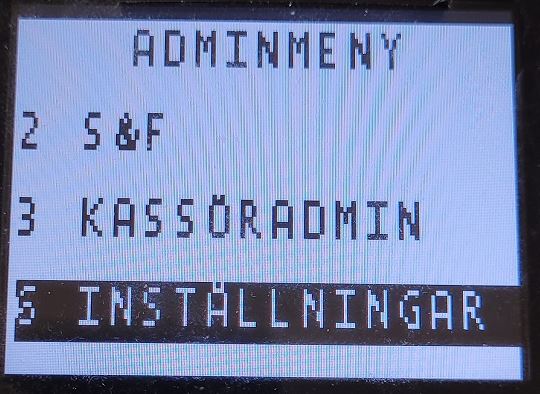
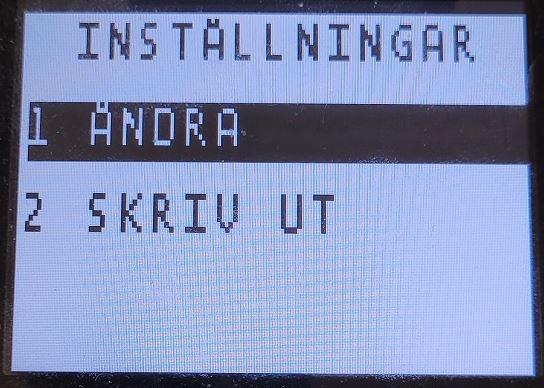
- Press the Menu button (the one above the red button.
|
 |
|
 |
|
 |
|
 |
|
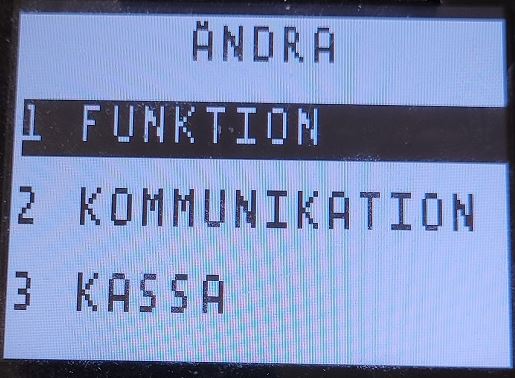 |
- Use the down key to check that the following settings are correct:
- 1 – FUNKTION
- Terminal ID: XXX
- Beloppsläge = Kronor (Öre)
- S&F = Ja (Nej)
- Serv Första = Nej (Ja)
- Infofält = Ingen info (Ocr, Info text, Kassör ID)
- Ljud = Vid fel (Alltid, Inget)
- PIN knappljud = Alltid (Inget)
- Alltid Kopia = Nej (Ja)
- Dublettkontr. = Nej (Ja)
- Language = Swedish
- Dricks = Totalbelopp (NEJ, Extrabelopp)
- Ändra kassör = Utan kassör (Dagsavslut, Z-total, Alltid, O-Rapport)
- Moms = Fast moms (Ingen moms, Ändra moms)
- Momssats = 0,00
- Reservför. Språk = English
- Bakgrundsljus = Auto (Alltid)
- Chip info text = Chip uppåt (Chip mot dig, Chip ned)
- IF Priority = Domestic (International, None)
- Reboot Time = 04:00
- 1 – FUNKTION
- Press the red button (Stop) to move back to ÄNDRA menu
|
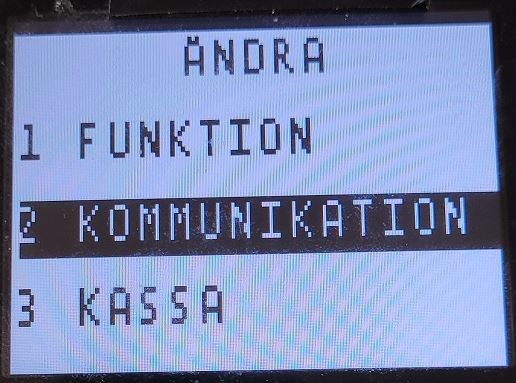 |
- Use the down key to check that the following settings are correct:
- 2 - KOMMUNIKATION
-
Komm. typ = Ethernet (Via ecr) // (if connected via Ethernet, otherwise "Via ecr" if connected with USB or rs232/serial cable
// if Ethernet is enabled:DHCP = DHCP (Statisk) - Host IP Adress = 91.102.24.142
- HOST IP port = 9670
-
Komm. typ = Ethernet (Via ecr) // (if connected via Ethernet, otherwise "Via ecr" if connected with USB or rs232/serial cable
- 2 - KOMMUNIKATION
- Press the red button (Stop) to move back to ÄNDRA menu
|
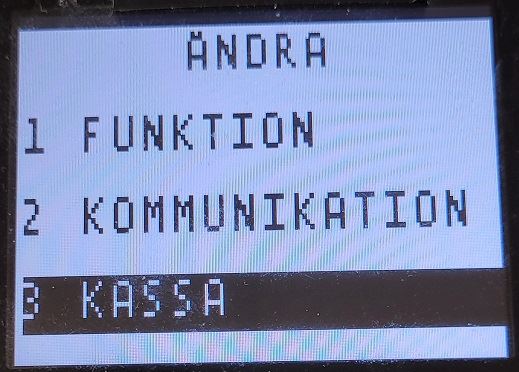 |
- Use the down key to check that the following settings are correct:
- 3 – KASSA
- ECR = JA (NEJ) // Enables or disables BAXI functionality
- Komm.Typ = IP ethernet (USB slave, RS232) // Depending on how the device is connected to the POS: IP ethernet = network, USB slave = USB, RS232 = serial cable)
- ECR IP ADRESS = x.x.x.x // If connected via Ethernet, enter the IP address of the POS sending transactions to the terminal)
- ECR IP Port = 6001 // or 6002, 6003 etc., in case there are several terminals configured on the POS device, 1 port per terminal
- ECR hastighet = 9600 (4800, 2400, 1200, 115200, 57600, 38400, 19200)]
- Kortinfo = Aldrig (Alltid, Efter belopp)
- Kvittohuvud/-fot = Nej (Ja)
- 3 – KASSA
- Press the red button (Stop) several times until the device restarts.
Was this article helpful?
That’s Great!
Thank you for your feedback
Sorry! We couldn't be helpful
Thank you for your feedback
Feedback sent
We appreciate your effort and will try to fix the article