This article explains how to configure tips in percentage format.
This guide applies to Lane/3000 and Move/3500 terminals, running software version 2.0.0.1 and newer.
Percentage tips
This functionality enables the end user to select tips in percentages:
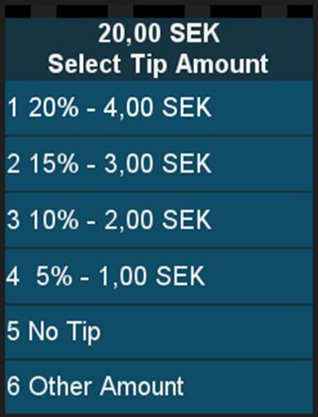
Percentages can not be changed from their default values.
Maximum tip value is configured in Nets backend and the tip can not exceed that amount.
Installation
- Navigate to Settings menu, by follow the terminal guide:
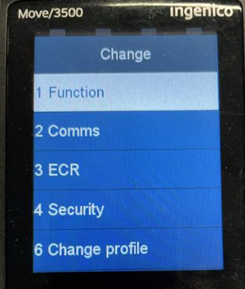
- Select Function and navigate to Tips setting. To enable percentage tips, change the setting to Predefined.
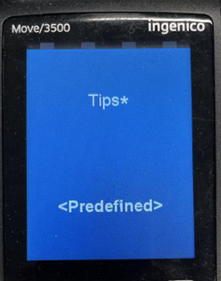
- In case this setting is not available, contact Nets and request that terminal is updated to software version 2.0.0.1 or newer.
Was this article helpful?
That’s Great!
Thank you for your feedback
Sorry! We couldn't be helpful
Thank you for your feedback
Feedback sent
We appreciate your effort and will try to fix the article