This article explains how to troubleshoot VariPOS 850 devices.
Removing the back lid
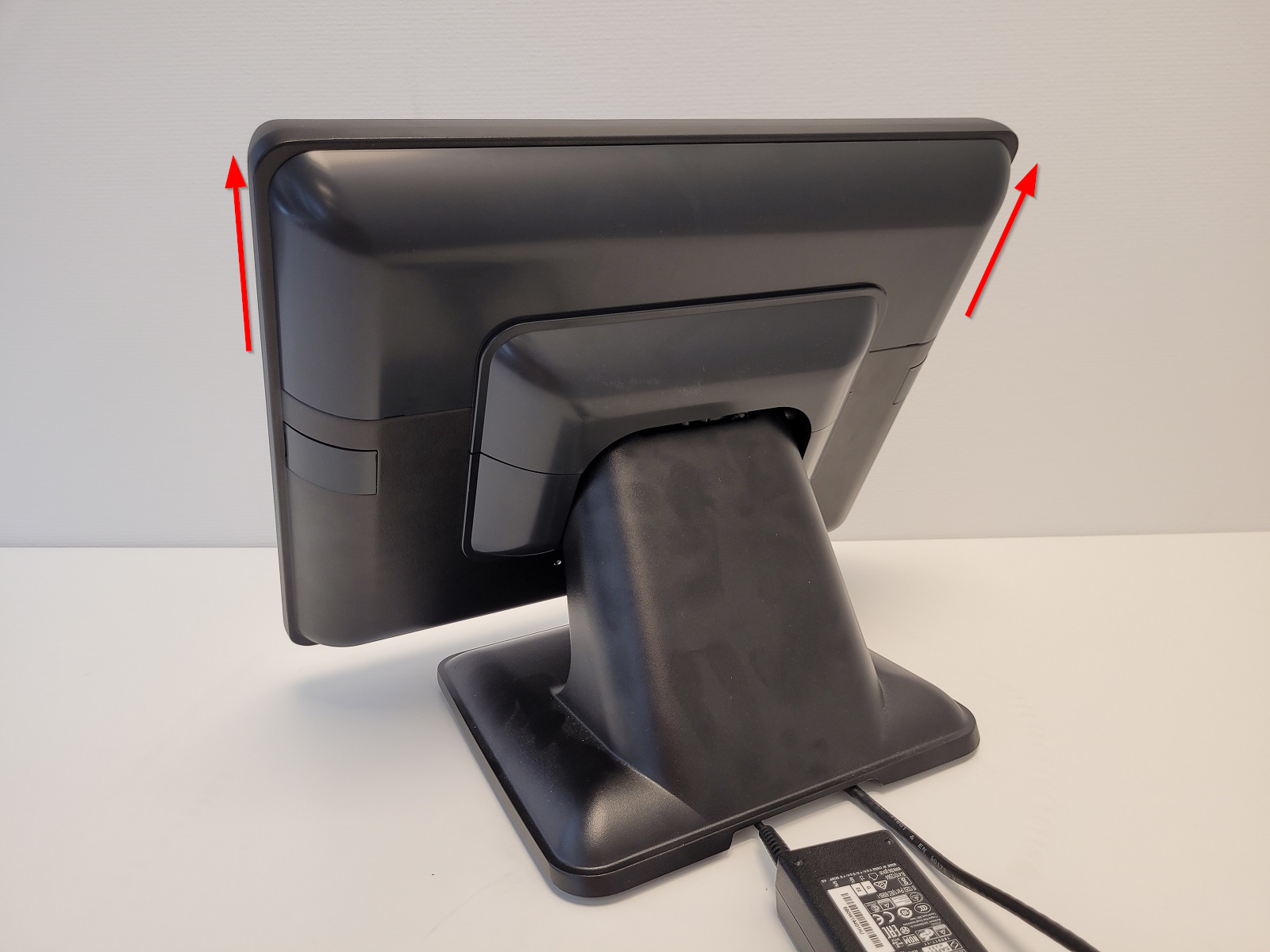
All cables on VariPOS 850 are managed behind a back lid that in some cases needs to be removed for troubleshooting purposes.
- To remove the lid, slide it upwards:
Disconnecting the blackbox (Sweden)
- In case blackbox needs to be disconnected, remove the back lid as described above.
- With the back lid removed, locate the blackbox device:
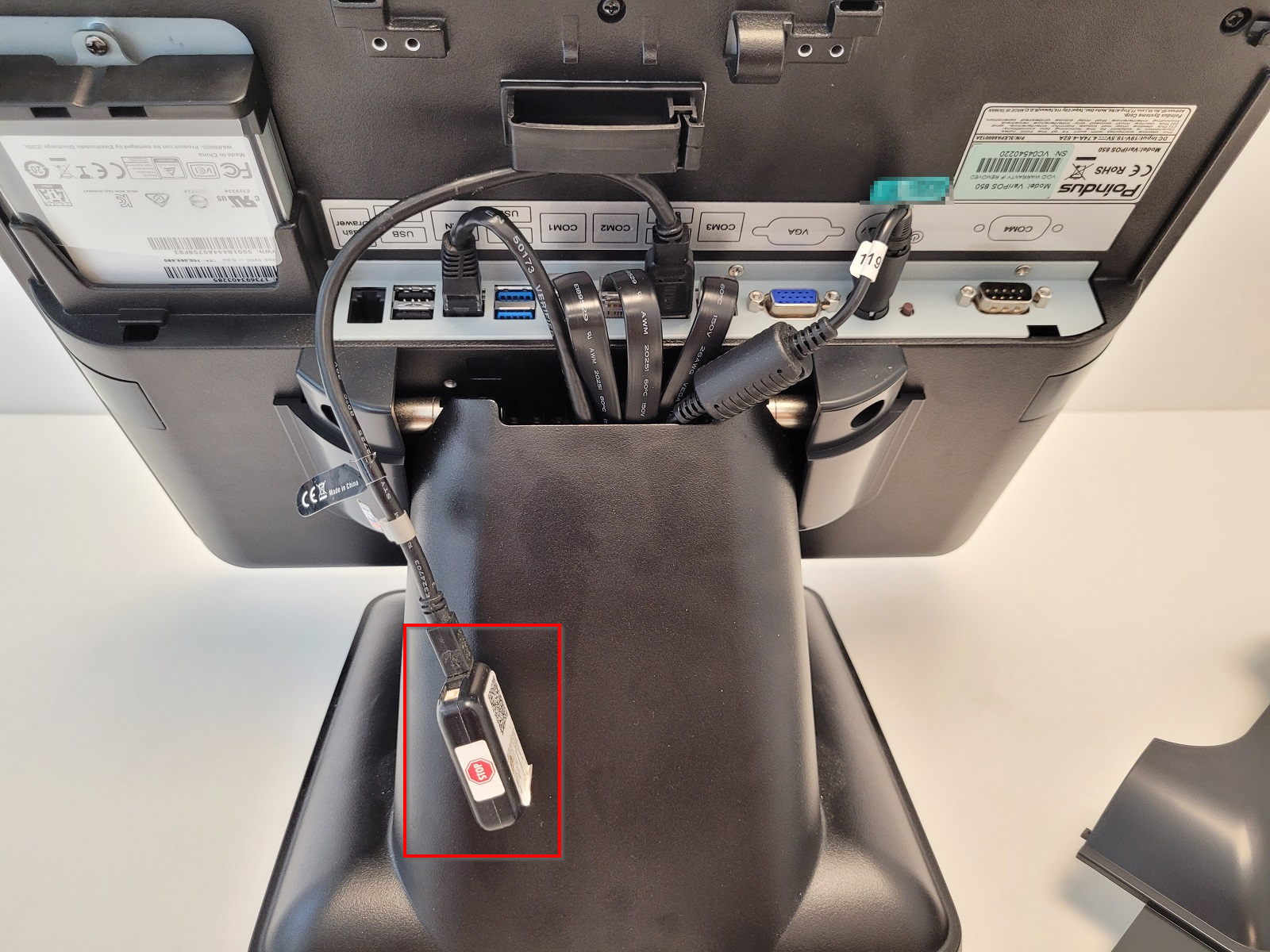
- For more info on how to identify blackbox devices, check out Blackbox: Sweden (skattebox).
- Follow the cable to find the USB that it is connected to. To disconnect it, pull on the USB connector upwards:
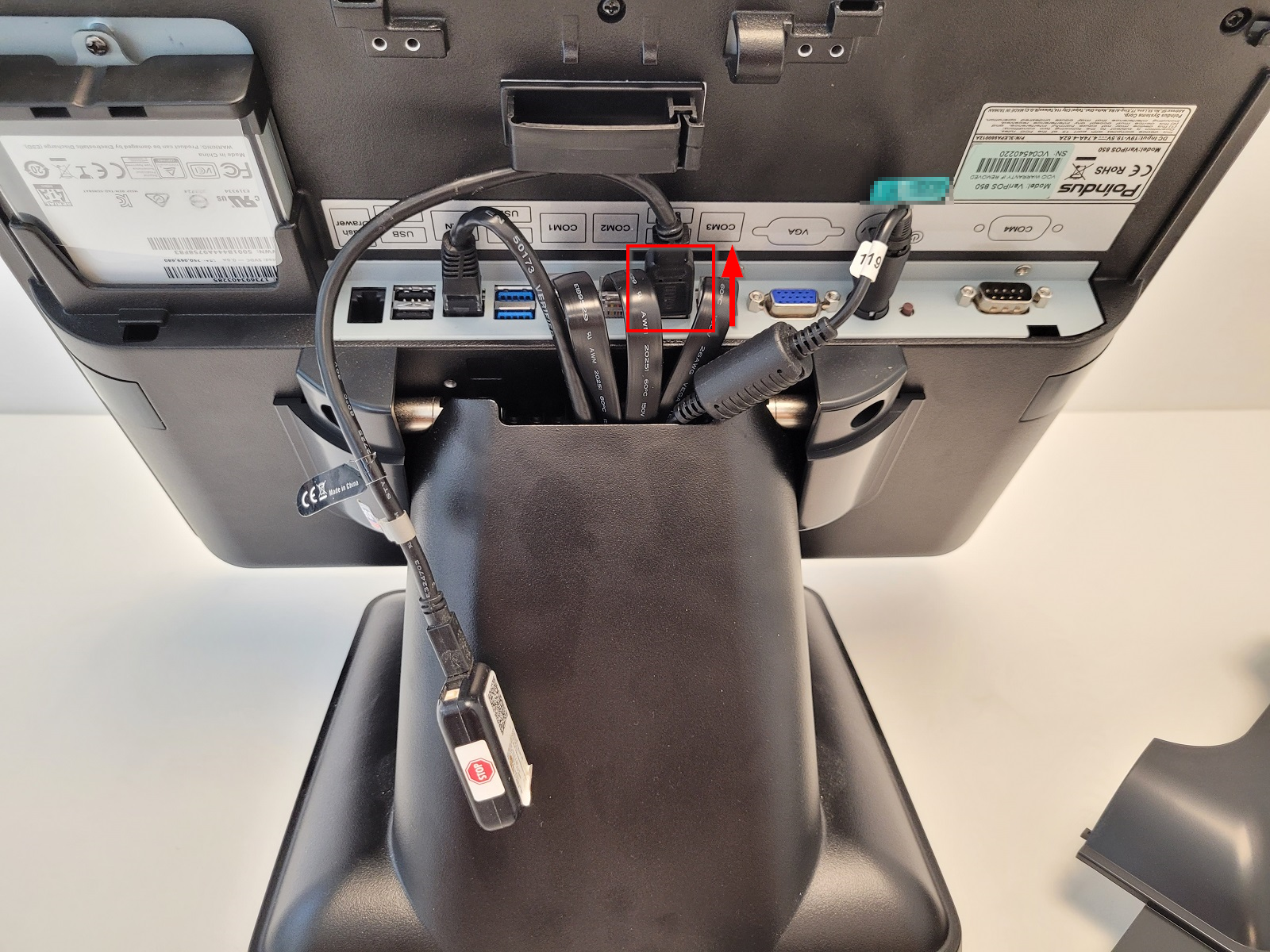
- If you are disconnecting the blackbox for blackbox troubleshooting purposes, wait a few seconds and connect it again.
Enabling DHCP
If device has lost connectivity to local network but the network interface LED is on/blinking, it is a good idea to try to enable DHCP on device. For info on how, check out Enabling DHCP on VPOS.
Replacing a disk
Replacing a disk on a VariPOS 850 device is a fairly straightforward process. Make sure the device is shut down and unpowered.
- Remove the back lid as described above.
- Locate the disk on the back side of the device:
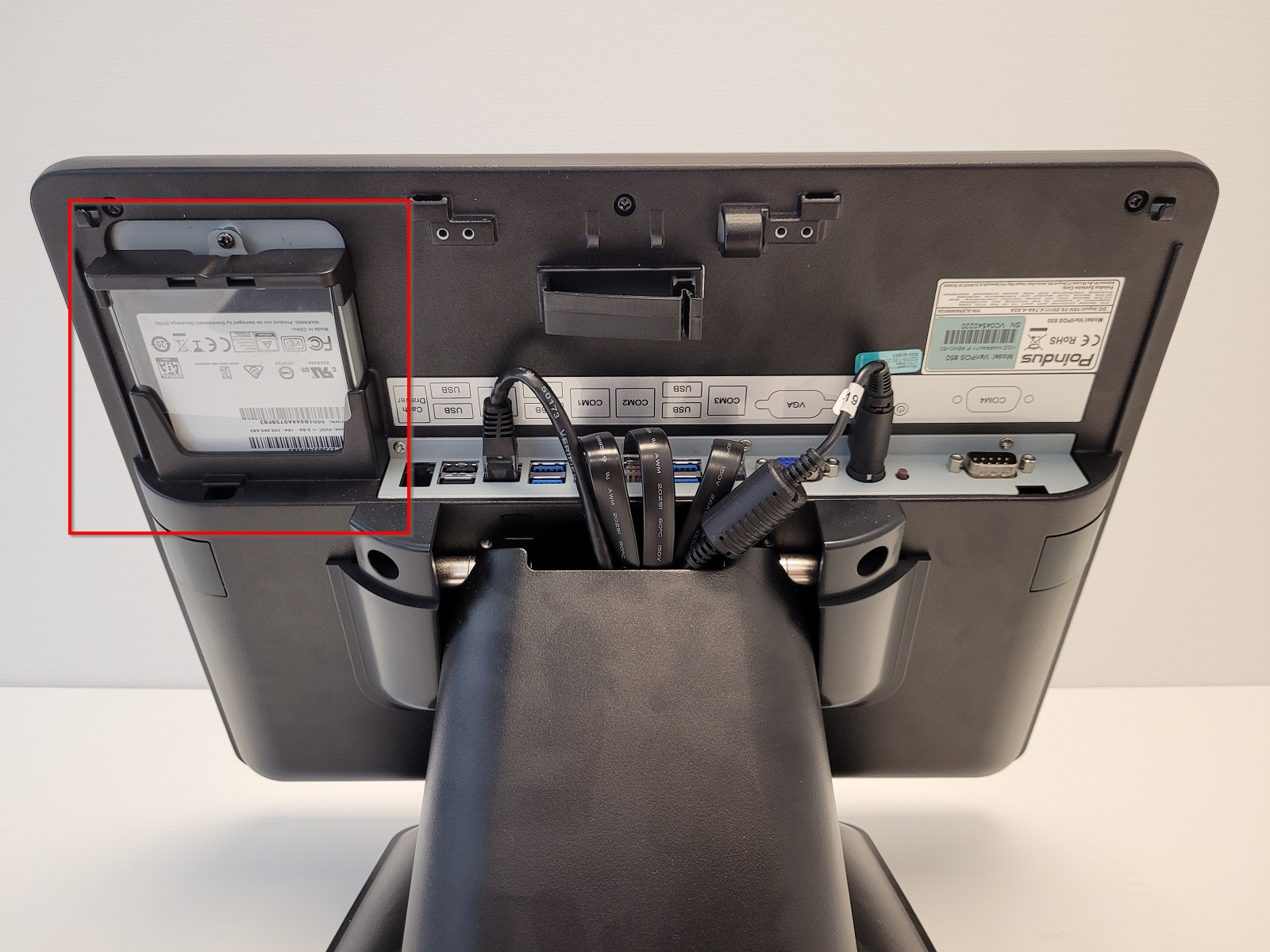
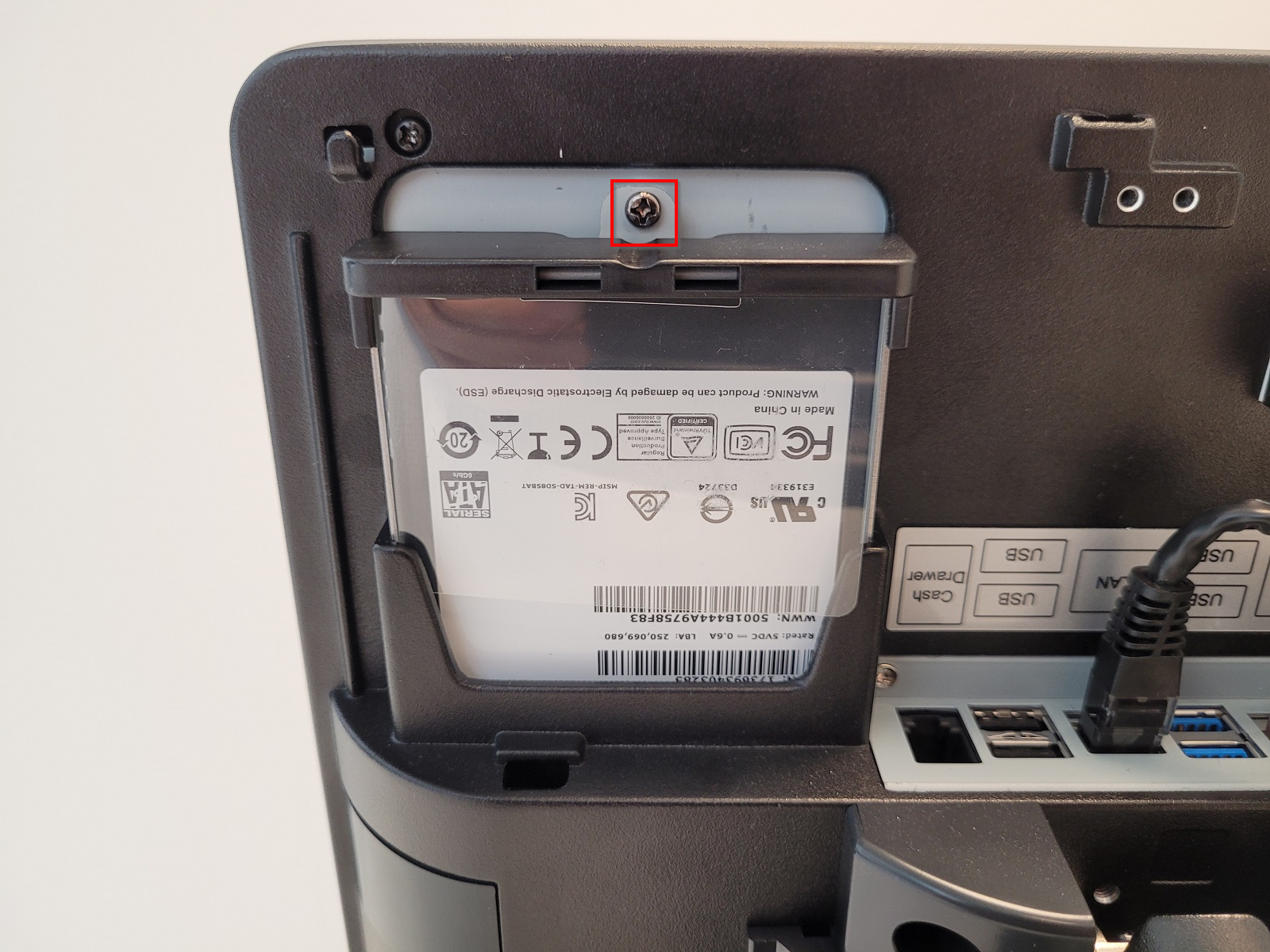
- Remove the screw holding the disk cradle in place:
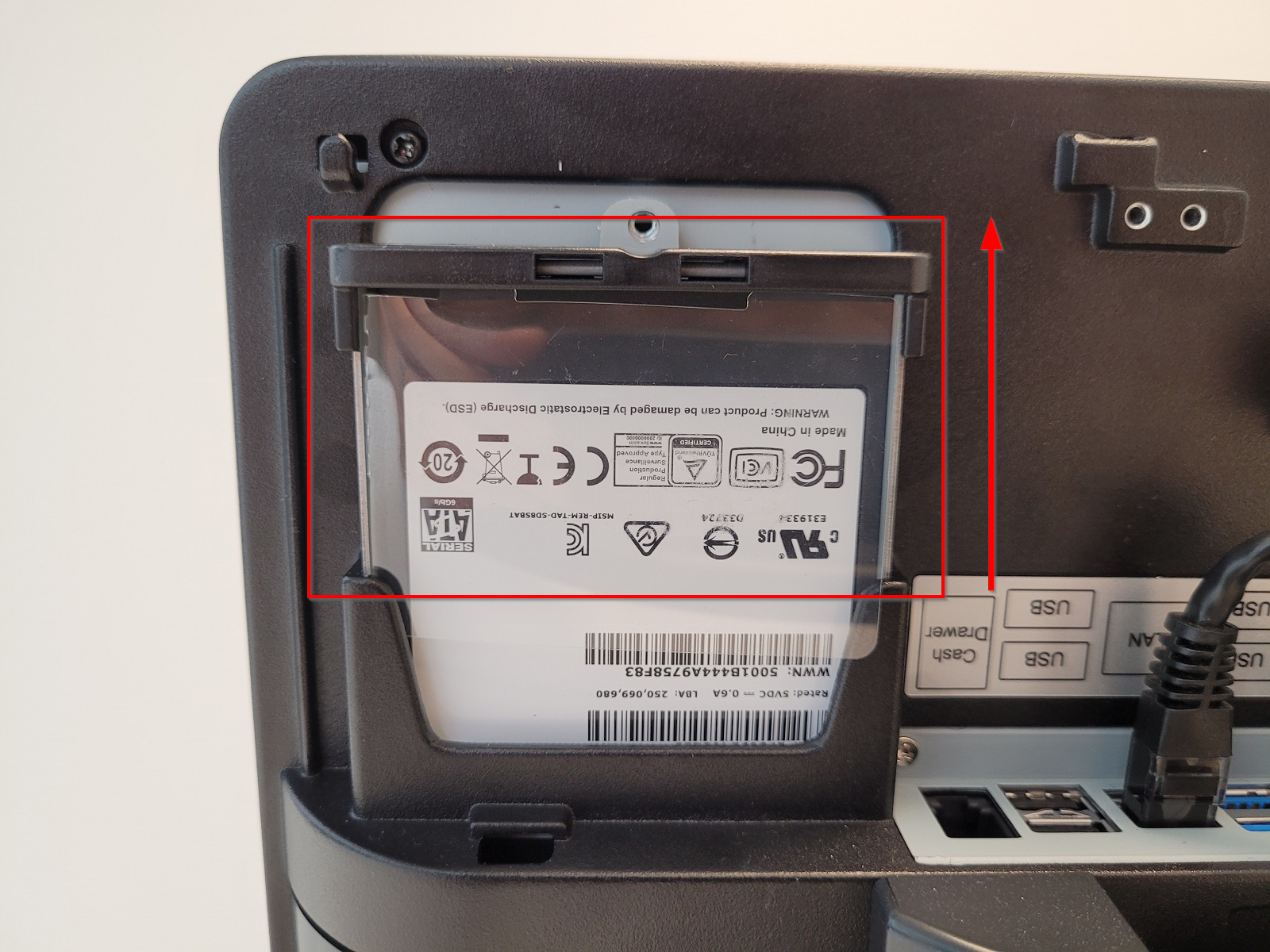
- Slide the disk cradle upwards to remove it from the device:
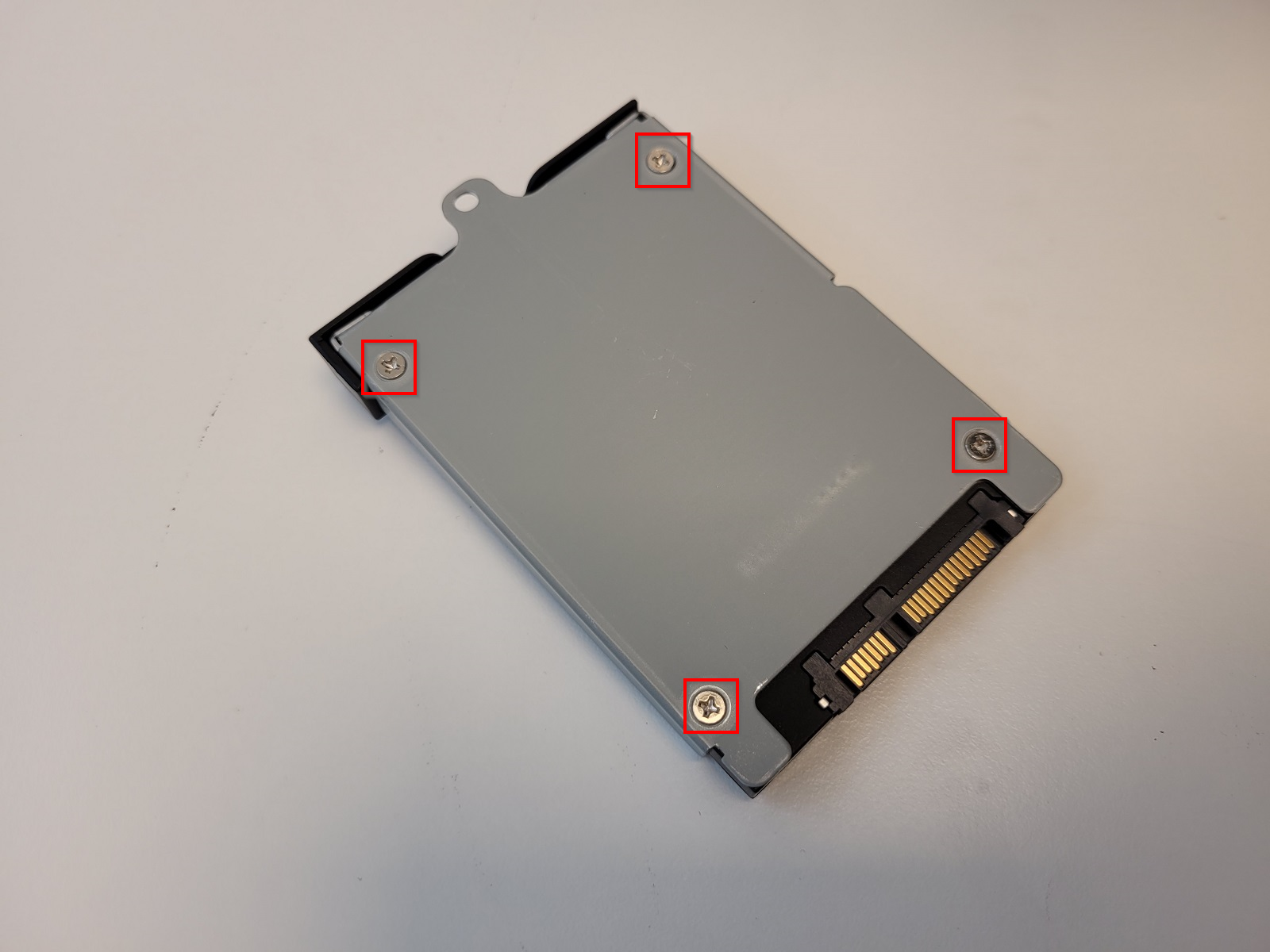
- Remove the four screws holding the disk in the disk cradle:
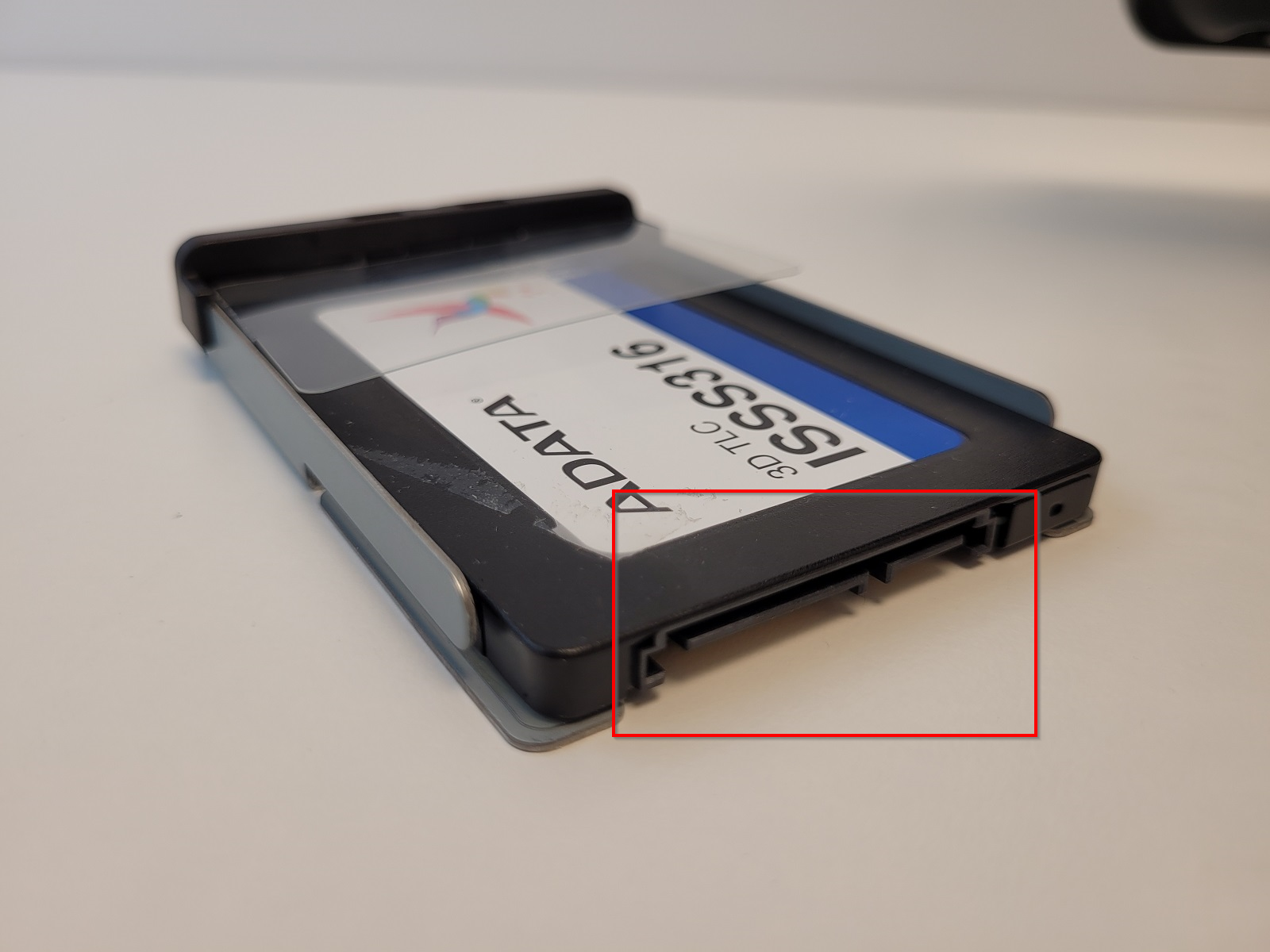
- Replace the disk, making sure the contacts are pointing the same way as the old the disk, and put everything back in place::
Replacing RAM
Replacing RAM on VariPOS 850 is too complex to be performed by our customers. Please contact Support to book a technician that will perform the RAM replacement.
Reseting BIOS settings
- Shut down the device and connect an external keyboard to it.
- Start the device by pressing the power button and press Delete on keyboard in rapid succession.
- Using the keyboard arrow keys (right), navigate to Exit page, select Load Defaults and confirm with Enter and Enter again:
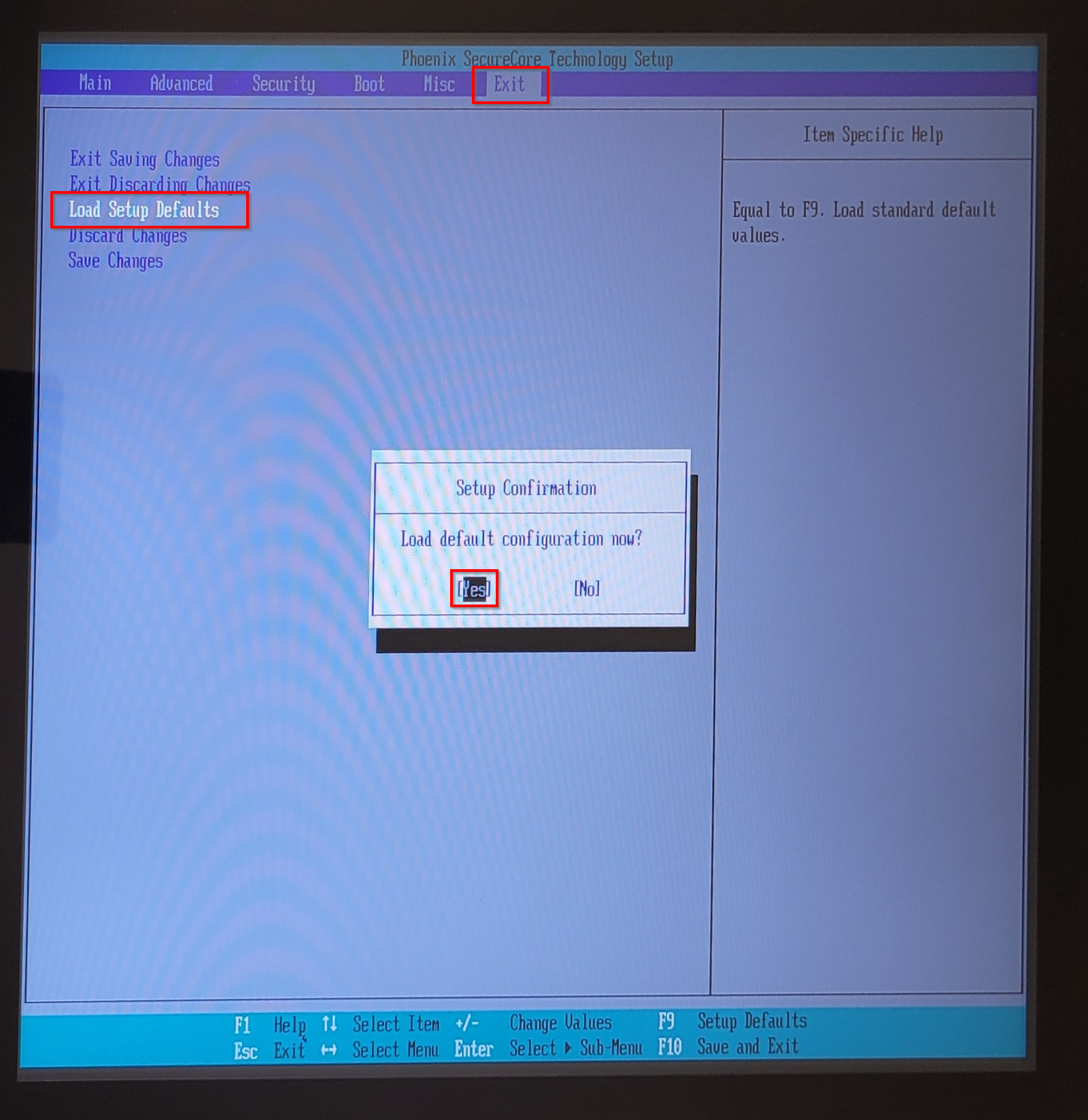
- Select Exit Saving Changes, confirm with Enter and Enter again:
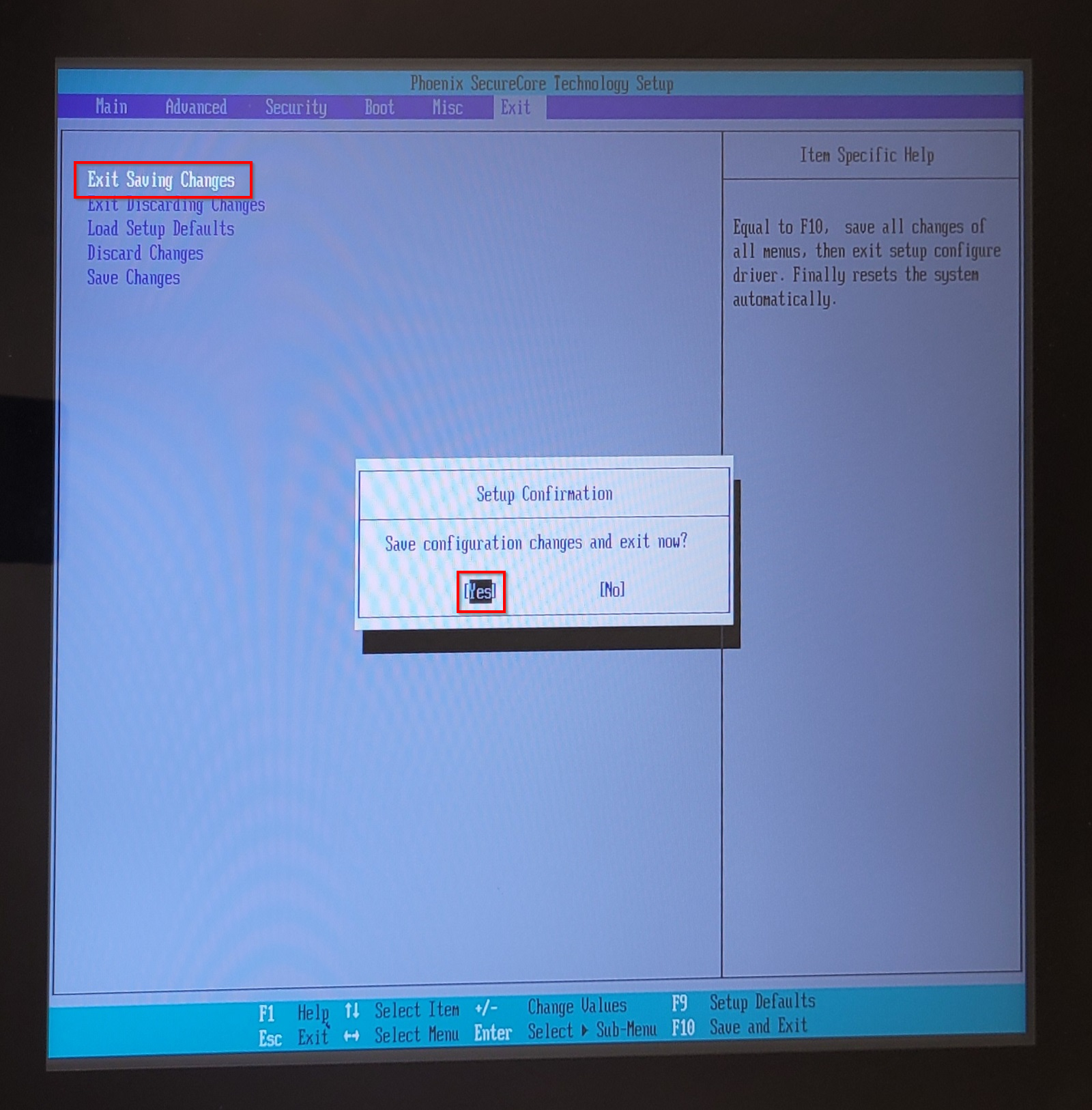
- The device will now restart.
Was this article helpful?
That’s Great!
Thank you for your feedback
Sorry! We couldn't be helpful
Thank you for your feedback
Feedback sent
We appreciate your effort and will try to fix the article