This article explains how to shut down Handy. This information can be useful when troubleshooting Handy-compatible devices.
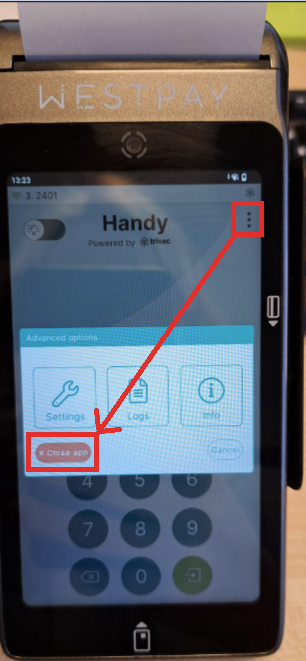
- Select the "Close app" from in the popup generated by the three dots in the top right corner of the Handy application (when logged out).
Was this article helpful?
That’s Great!
Thank you for your feedback
Sorry! We couldn't be helpful
Thank you for your feedback
Feedback sent
We appreciate your effort and will try to fix the article