This guide explains how to switch a route in Domino.
Customers can use two or more Routes, depending on on weather (if outdoor serving is possible or not), time of day (lunch/dinner) and similar.
To switch the route:
- Select the PrepOutput tab in Domino:
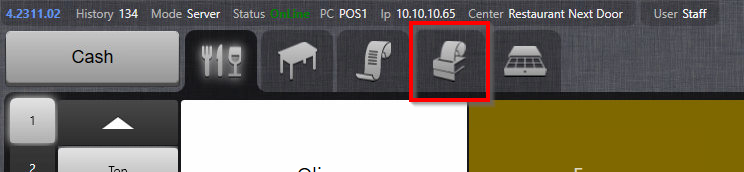
- Select the Route button in the bottom of the screen:

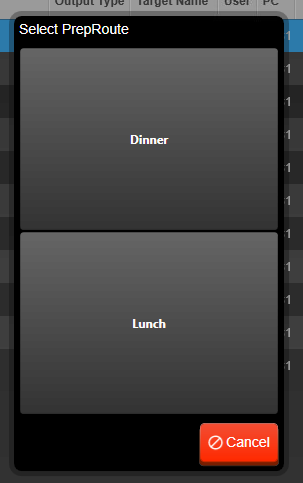
- Select a Route to switch to:
- New route is now displayed in the parenthesis above the PrepOutput list:
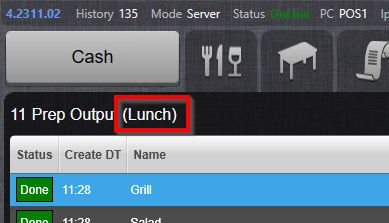
Observe that it is not possible to automate the switching of routing, it has to be done manually.
Was this article helpful?
That’s Great!
Thank you for your feedback
Sorry! We couldn't be helpful
Thank you for your feedback
Feedback sent
We appreciate your effort and will try to fix the article