This article explains how to anonymize the account information for privacy regulation compliance.
About anonymization
Anonymization functionality in Domino enables the Customer to comply with GDPR regulations and respect a customer's "right to be forgotten".
How to use it?
- Log in to Domino with an account that is allowed to perform anonymization tasks and navigate to the Backoffice/Sales/Account page:
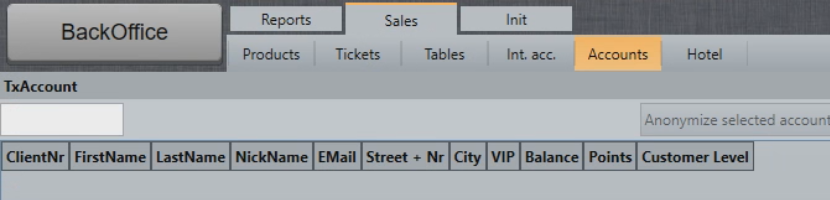
- Select Load All Accounts and search for the account you would like to anonymize:

- Select the account and select Anonymize selected acocunt (GDPR):

- Domino will display the properties that will be anonymized, select Confirm anonymization to continue:
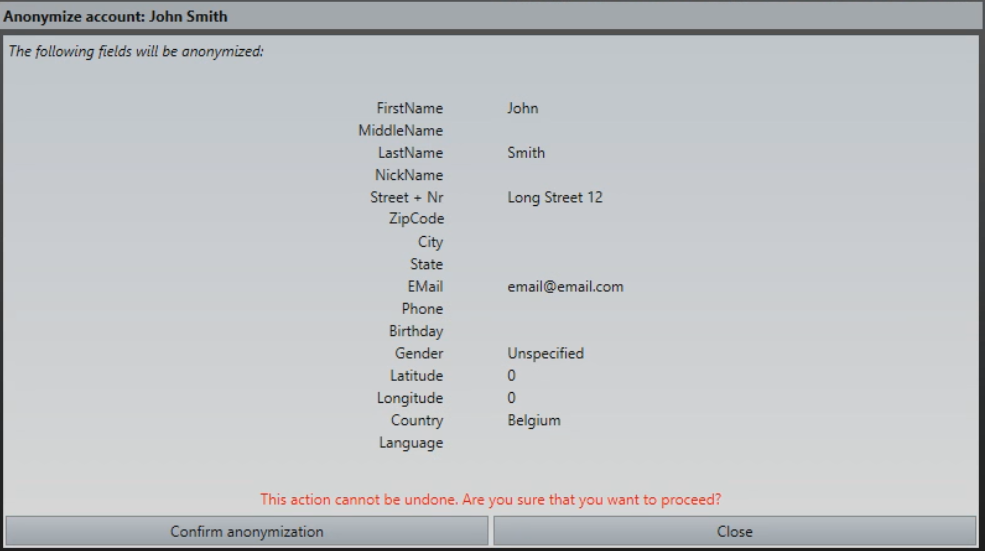
- The account is now anonymized:

NOTE: This is a non-reversible process. It is not possible to undo the anonymization of an account.
Tracking & Reporting
A log is created to record who performed the anonymization, when it happened, and what data was affected.

This ensures compliance with privacy laws while maintaining necessary account tracking.
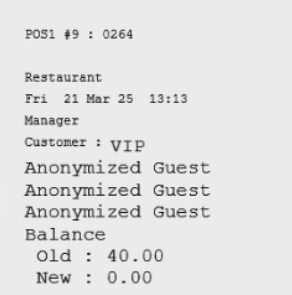
Customer information on receipts linked to the anonymized account is anonymized as well:
Was this article helpful?
That’s Great!
Thank you for your feedback
Sorry! We couldn't be helpful
Thank you for your feedback
Feedback sent
We appreciate your effort and will try to fix the article