This guide explains how to report a malfunctioning Nets device.
Replacement procedure
To request a replacement of a faulty Netsdevice, provide Trivec Support with the following info:
- Model (Move/3500, Lane/300, iWL250, iPP350)
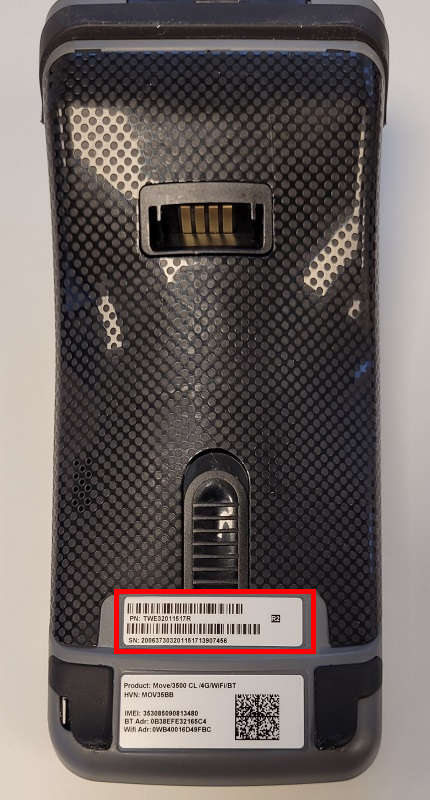
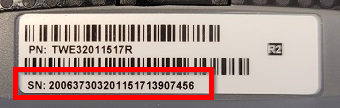
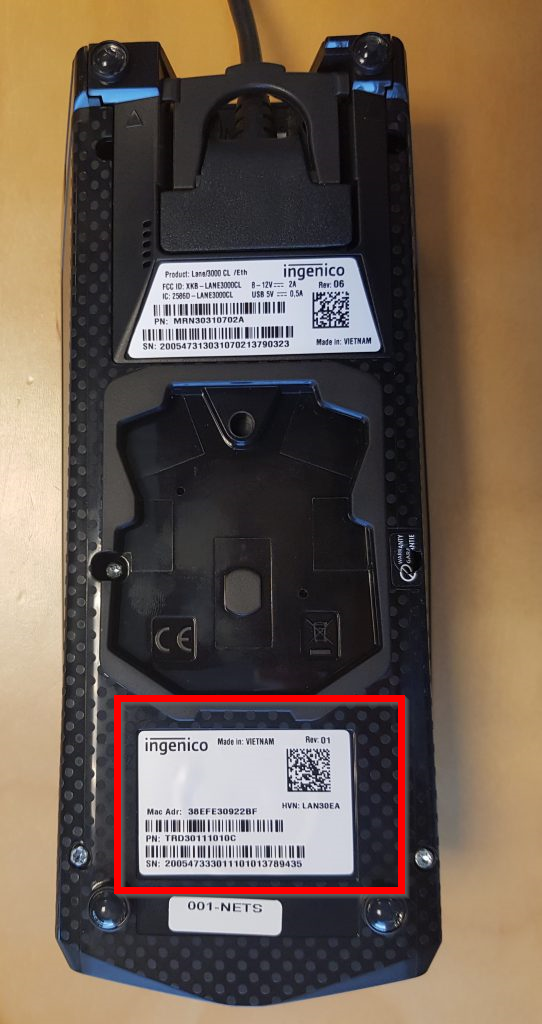
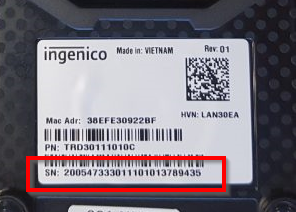
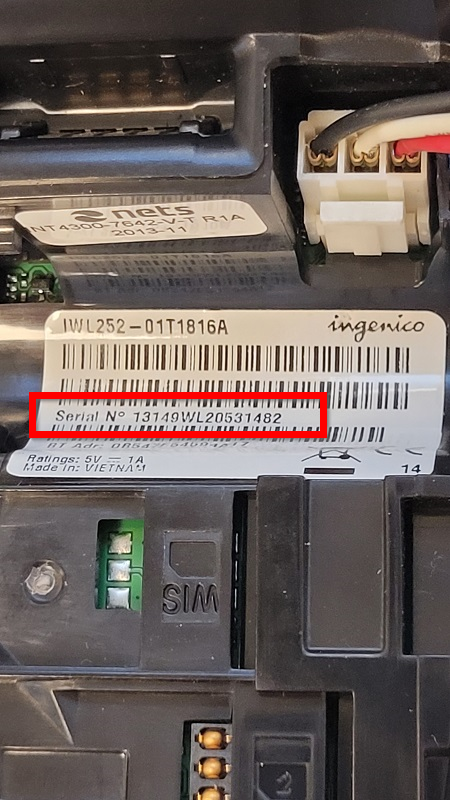
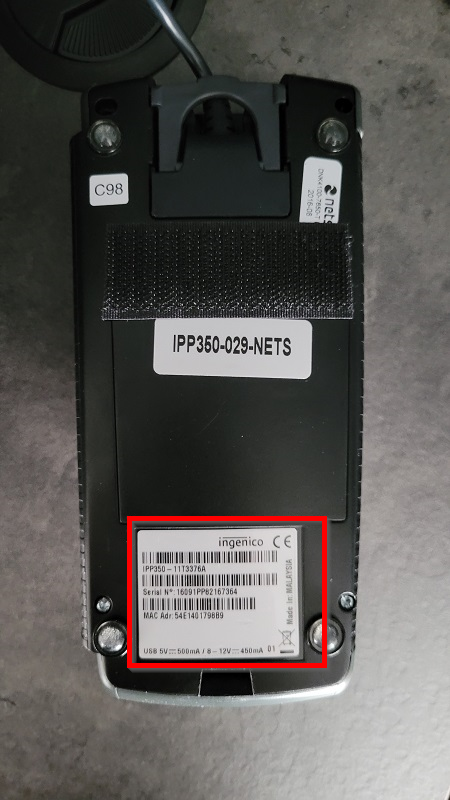
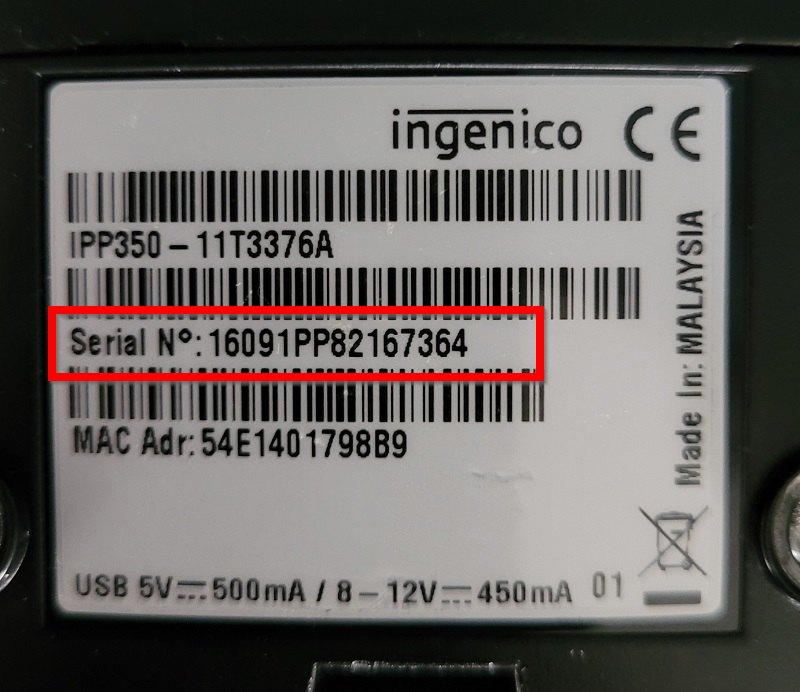
- S/N (you can find it on a label on the back side of the printer)
- Company name
- Street address, Postal Code and City
- Contact Email address
- Contact mobile number
- What's wrong with the device
After registering a request, a replacement device will be shipped to the provided address with a return delivery order. To return the device:
- Place the the faulty device in the same box.
- Apply the the provided delivery order.
- Contact shipping company to book a pick-up.
Replacement cost
Replacement is free of charge.
Setting up replacement devices
To set up the replaced devices, check out Setting up a replaced device.
Finding the serial number (s/n)
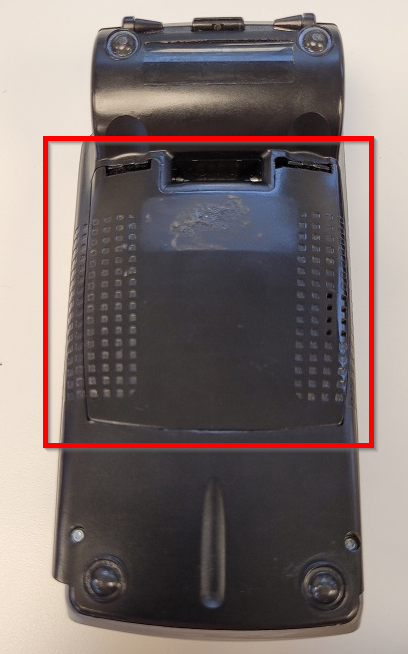
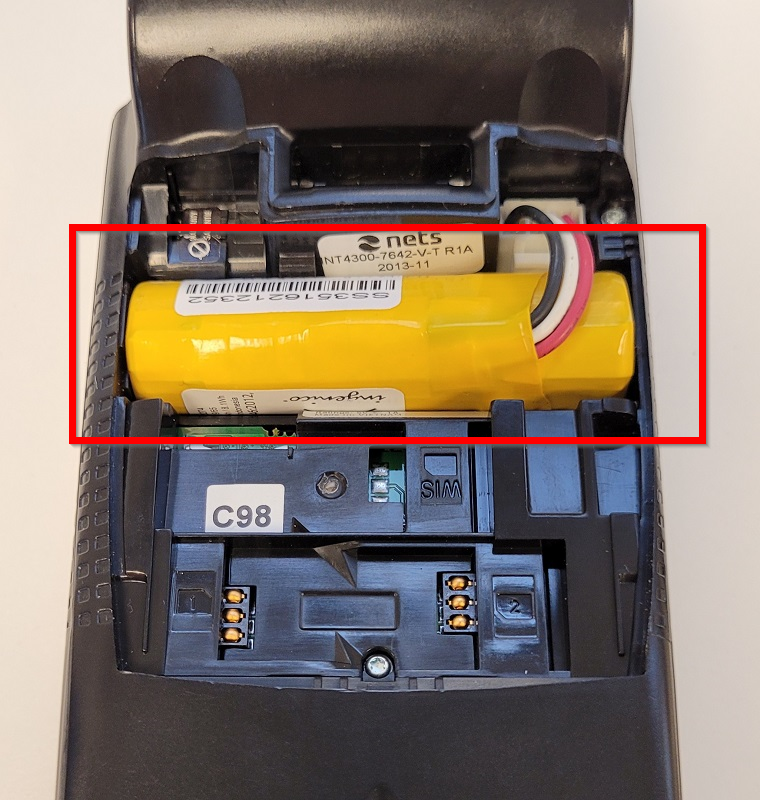
Serial number can be found on a label on the back side of the device. Exact label location differs between terminal models:
Move/3500
|
 |
|
 |
Lane/3000
|
|
|
|
iWL250
|
|
|
|
|
|
iPP350
|
|
|
|
Was this article helpful?
That’s Great!
Thank you for your feedback
Sorry! We couldn't be helpful
Thank you for your feedback
Feedback sent
We appreciate your effort and will try to fix the article