This guide explains how to add additional products to an existing table.
Adding additional products to table
- Select a table (for info on how to select a table, check out Selecting a table).
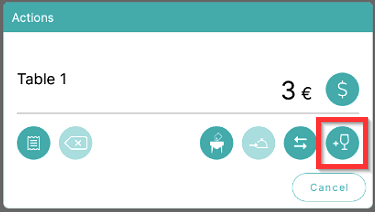
- To add more products to existing table, select the Add symbol:
What's next?
To review orders and add or remove products on orders, check out Reviewing orders and modifying amounts
To add memos and info products to orders, check out Adding memos and info products to orders
To complete the payment, check out Payment.
Was this article helpful?
That’s Great!
Thank you for your feedback
Sorry! We couldn't be helpful
Thank you for your feedback
Feedback sent
We appreciate your effort and will try to fix the article