This guide explains how to review and print a temporary bill.
Printing a temporary bill
- Add products to table (for info on how to add orders to tables, check out Placing an order).
- Select a table (for info on how to select a table, check out Selecting a table).
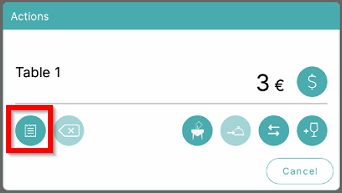
- To preview and print a temporary bill, select the Pro forma symbol:
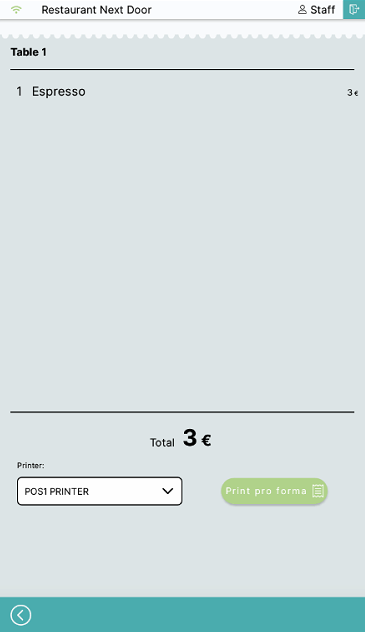
- In this menu you can review the orders on the table and print the temporary bill by selecting Print pro forma:
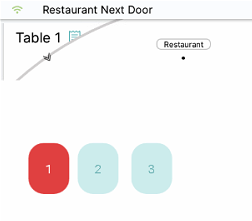
- Printing a temporary bill will change the color of the table on the table map:
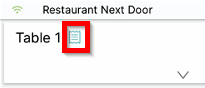
- It will also add the Temporary bill symbol to the table on the table list:
What's next?
To complete the payment, check out Payment.
Was this article helpful?
That’s Great!
Thank you for your feedback
Sorry! We couldn't be helpful
Thank you for your feedback
Feedback sent
We appreciate your effort and will try to fix the article