This article explains how to use and manage the Leat Loyalty integration.
Using Leat Loyalty
The Guest uses their Leat Loyalty identifier (e.g. QR code) or email address to:
- Earn loyalty points
- Use eligible rewards in Trivec POS solutions, such as:
- Promo products
- Discount products (not possible in Sweden for legislative reasons)
- Free products
Using Leat Loyalty with Domino
- Create an order or select an existing order and either:
- Scan the card or bar/QR code to retrieve the Guest Leat Loyalty account
- Alternatively, select the Customer area above the bill to search for the account:
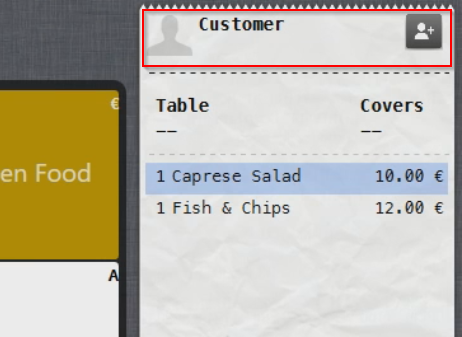
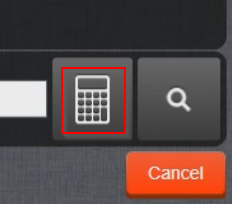
- Select the calculator symbol to search for the Account/Card number:
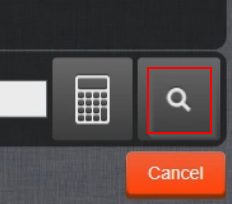
- Alternatively, select the Search symbol to search by Name or Email:
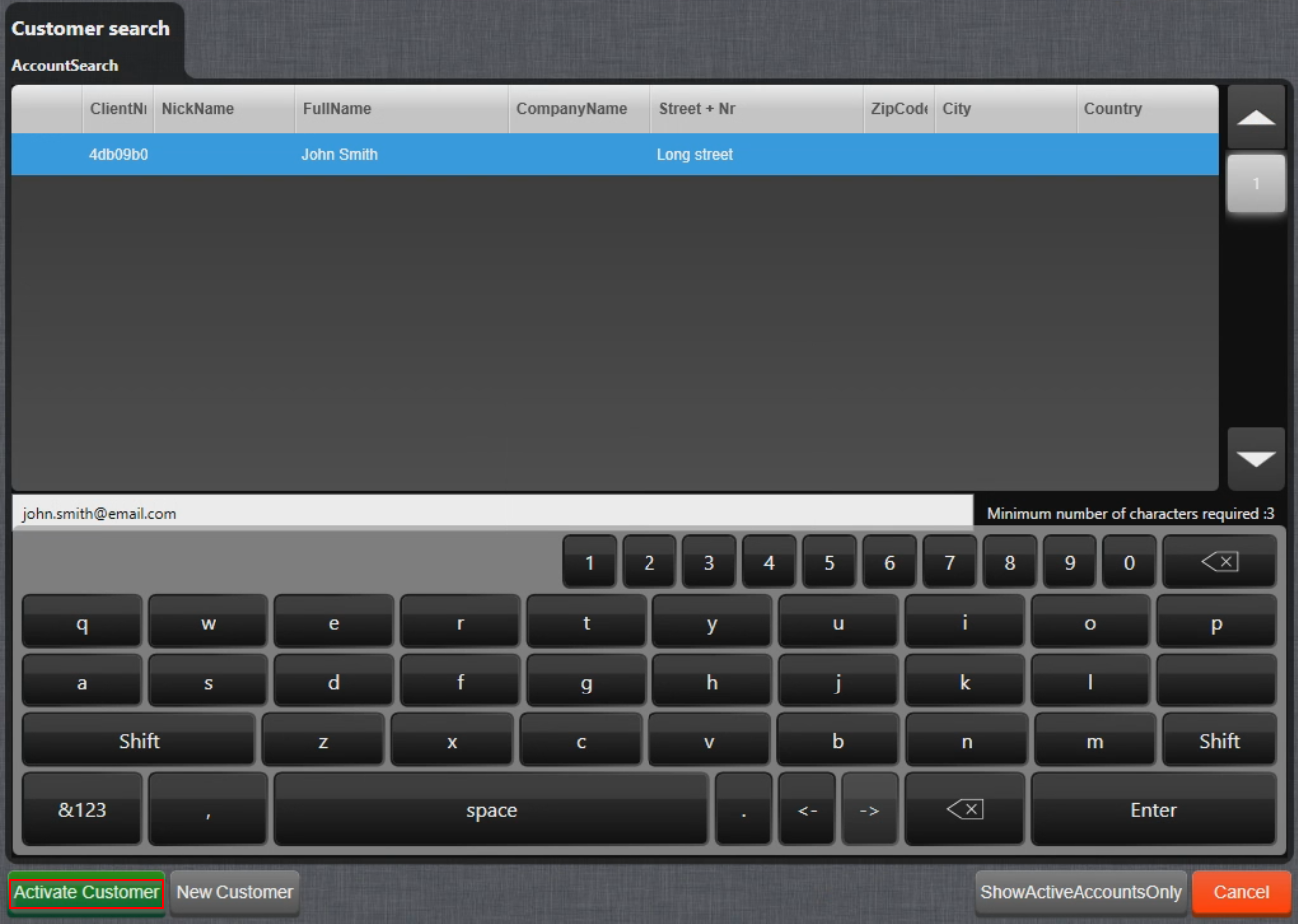
- When an account is found, select it and activate by selecting Activate account:
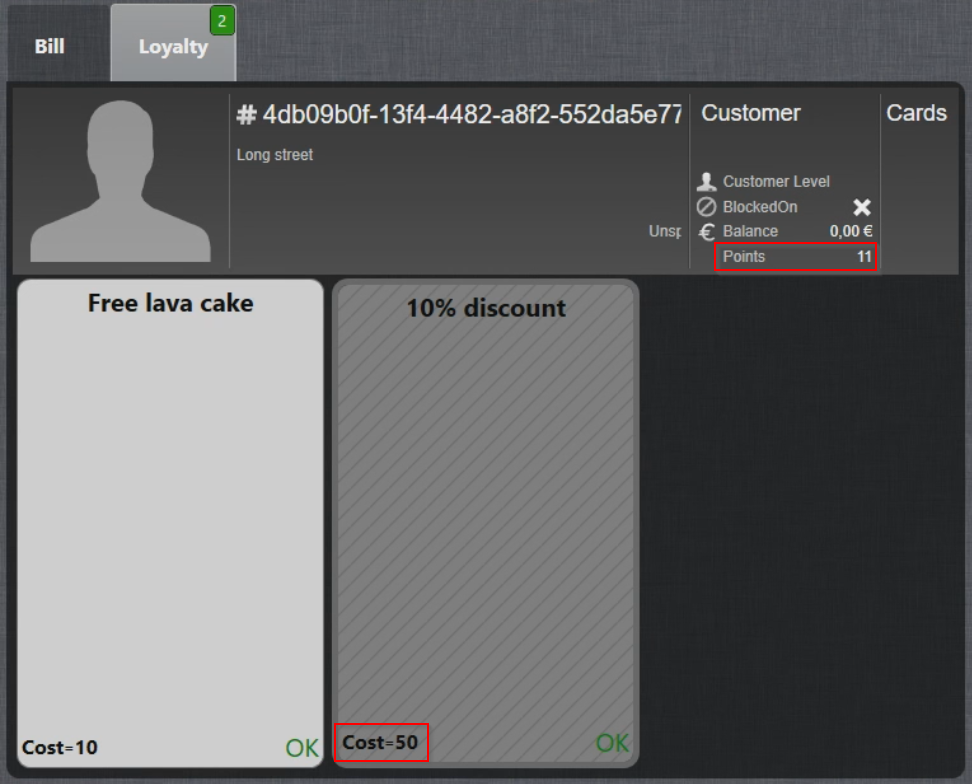
- The Loyalty screen displays the information about the Guest, as well as Points (called Credits in Leat) available:
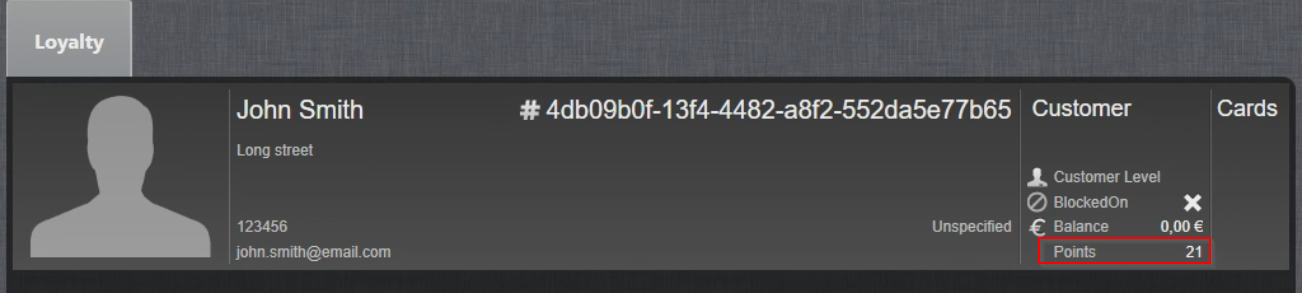
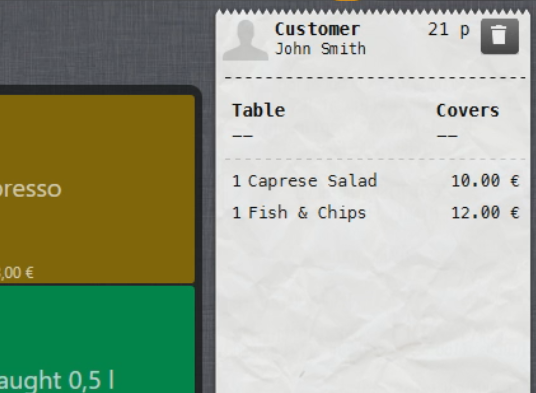
- Select Activate Customer again to activate the account. Guest account is now active and the number of Points collected is displayed as well:
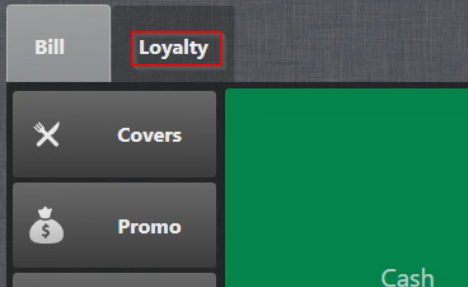
- To activate a Reward, select Bill:

- Select the Loyalty tab:
- To activate a Reward, select it:
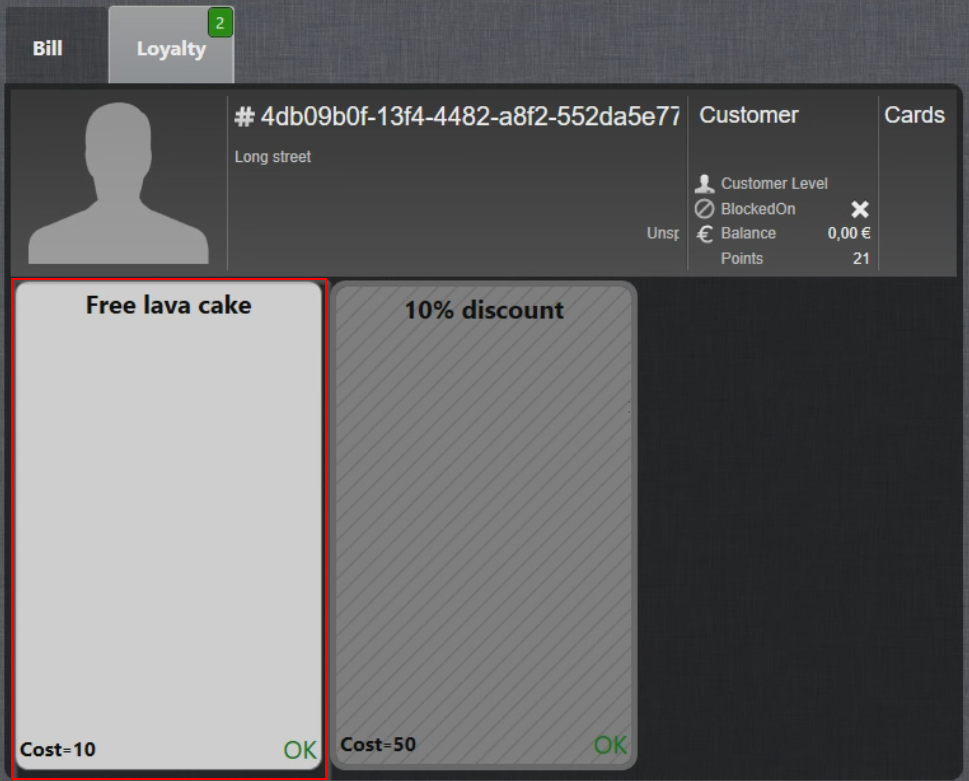
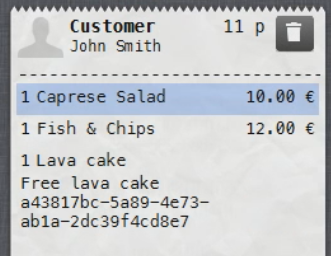
- Free product is now added to the Bill and the Reward cost is removed from the total Points:
- In case Guest doesn't have enough Points to activate a Reward (50 required - 11 available), Reward will be greyed out:
- Order is now updated with the free products and/or discount products:
NOTE: You can add one or more Rewards to the bill.
Using Leat Loyalty with Handy
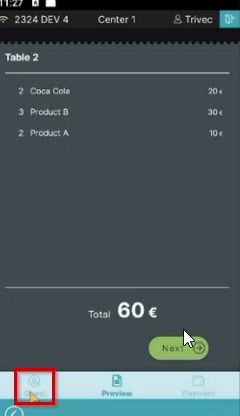
- Select an order and select the Guest symbol in the lower-left corner of the screen:
- Search for the guest account via e-mail or scan the QR code.
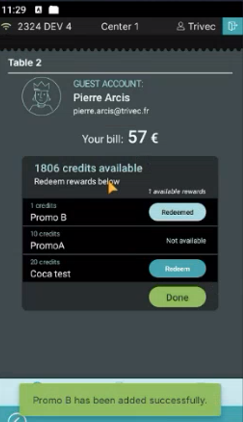
When the guest account is activated, the guest's name, email, points, and the guest's available rewards are displayed:
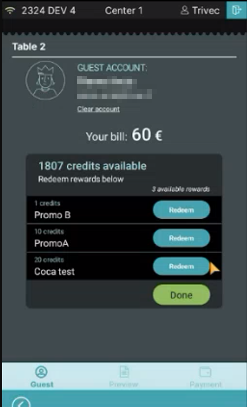
- To redeem an award, select the Redeem button for the desired reward:
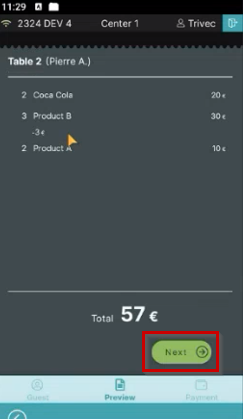
- The bill is updated with the reward. To complete the payment select Next to select the payment method:
Managing Leat Loyalty
You can configure your Leat integration with Domino in the following way:
In Leat
The following settings are managed on Leat portal:
- Leat Contact and Identification creation
- Reward creation
- Loyalty reporting & dashboard
For more info on how to do that, check out Leat Help Center.
In Domino
The following settings are managed in Domino:
- Loyalty activation in MyTrivec - check out Getting started with Leat
- Domino promos & discounts configuration
- Account history review
Creating new rewards
Each time new rewards are created in Leat, you need to contact Trivec Support to have the rewards configured with expected functionality (Promos/Discount products/Free products).
Was this article helpful?
That’s Great!
Thank you for your feedback
Sorry! We couldn't be helpful
Thank you for your feedback
Feedback sent
We appreciate your effort and will try to fix the article