This guide explains how to find your way around Tables in Backoffice.
- Log in to Domino with your restaurant manager login code.
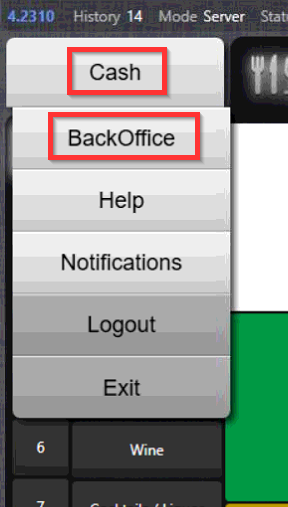
- Enter Backoffice by selecting Cash in the upper left corner and then selecting Backoffice:
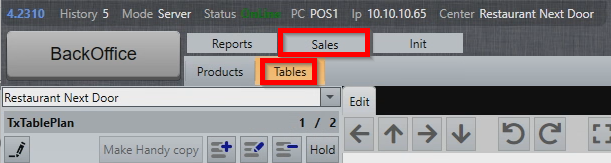
- In Backoffice mode, select Sales and Tables:
Navigating the Table section
Table section is divided into three windows:
- Table plans
- Tables
- Table plan layout
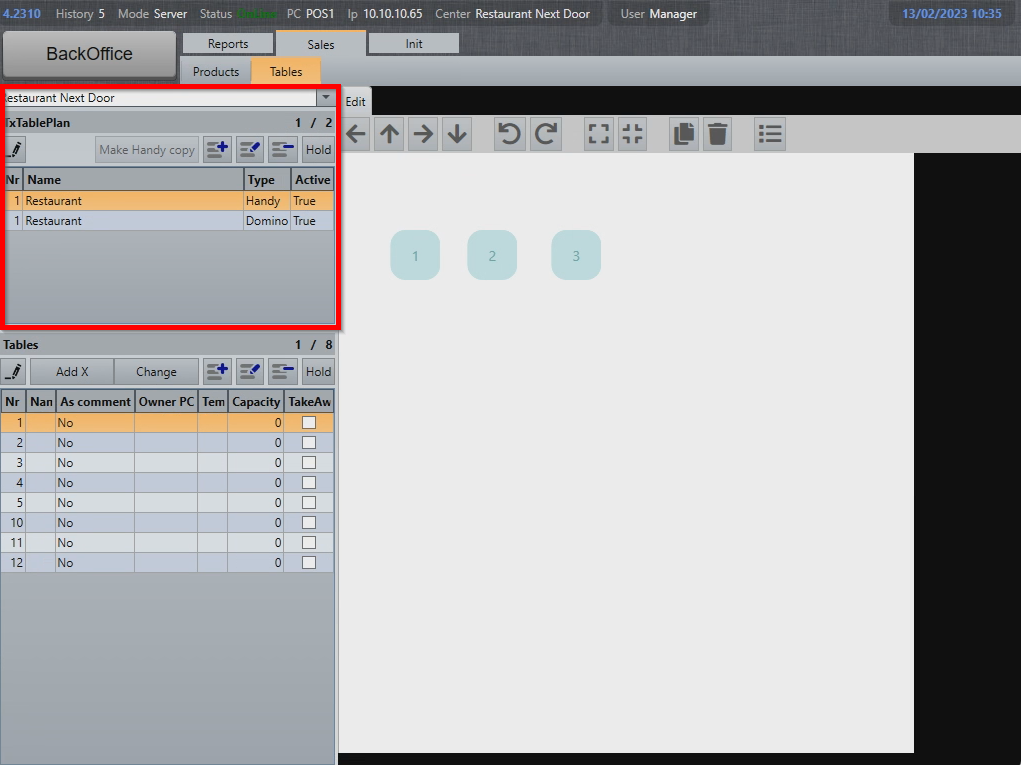
Table plans
Table plans are groups of tables on sharing a same visual representation. One table can exist on several different table plans.
Tables
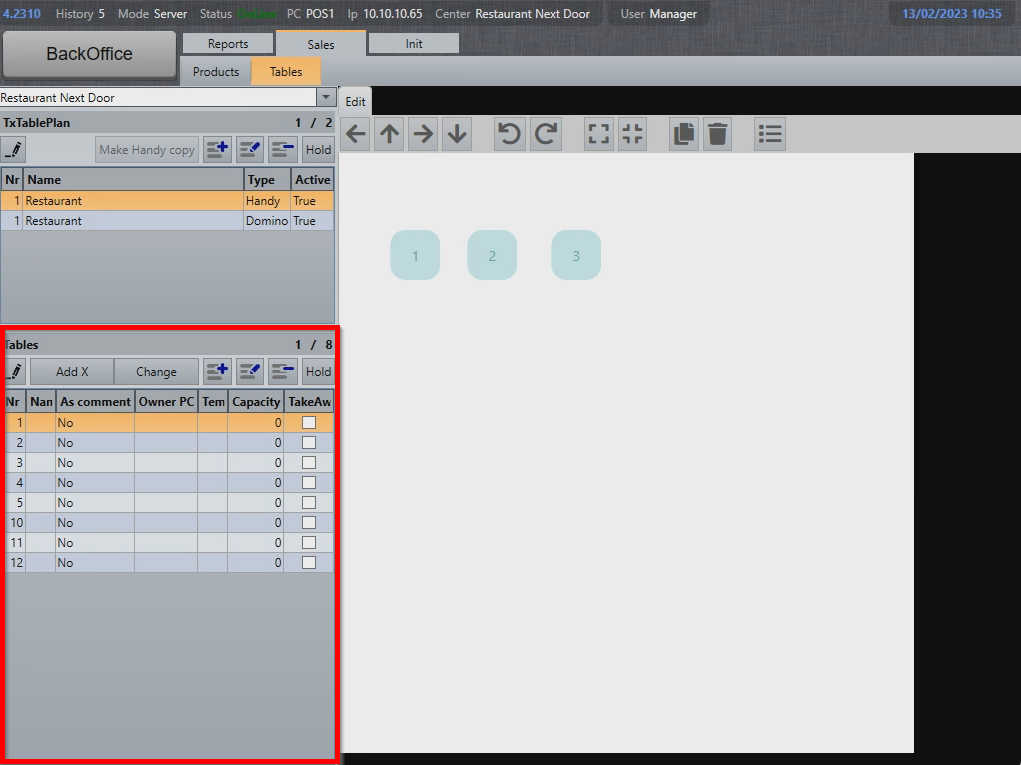
Each table is represented by a table number.
Table plan layout
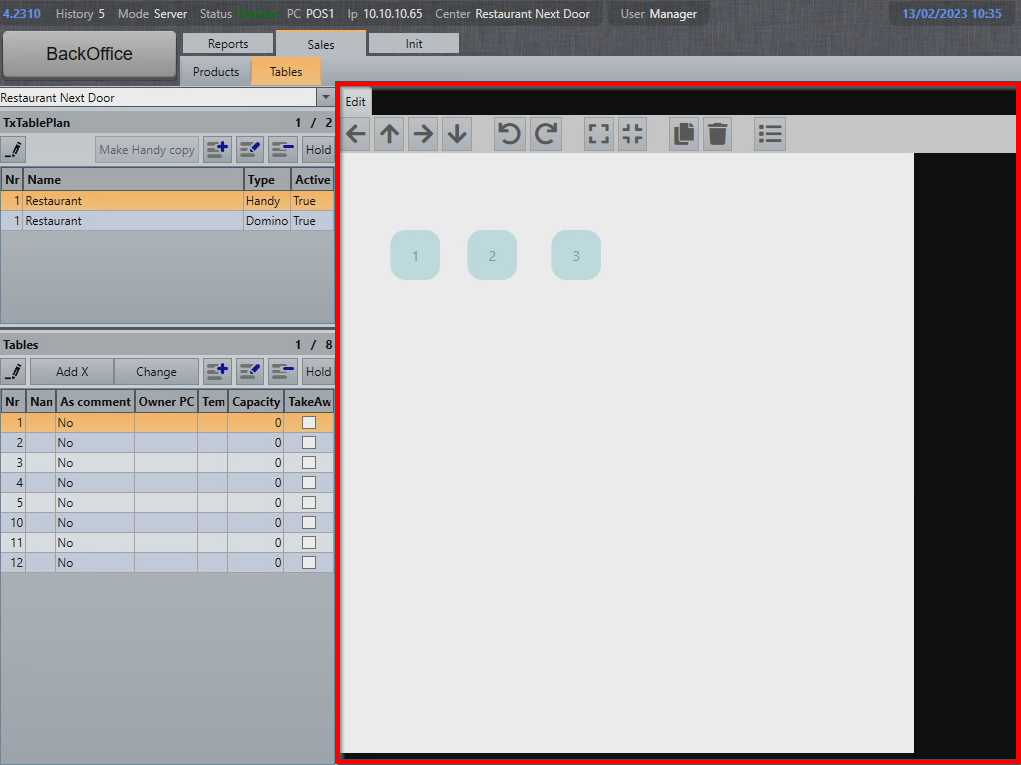
Graphical layout of the table plan can be modified by adding or removing tables, moving them around or changing the visual appearance of a table.
What's next?
To modify existing tables and table plans, check out Modifying tables and table plans.
To create new table plans and tables, check out Creating new table plans and tables.
Was this article helpful?
That’s Great!
Thank you for your feedback
Sorry! We couldn't be helpful
Thank you for your feedback
Feedback sent
We appreciate your effort and will try to fix the article