This guide explains how to create new table plans and tables.
Creating new table plans
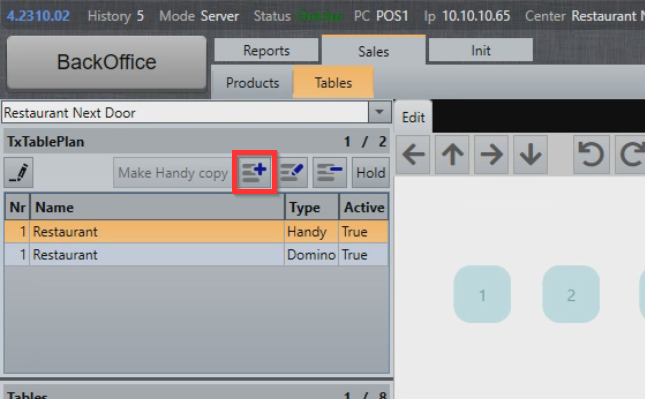
- To create a new table plan, select the Add symbol on the table plan list:
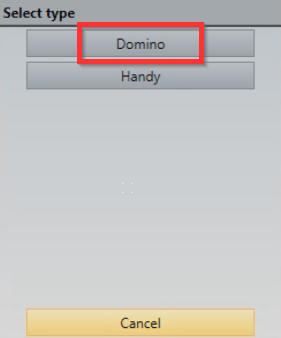
- In the Type menu, select Domino:
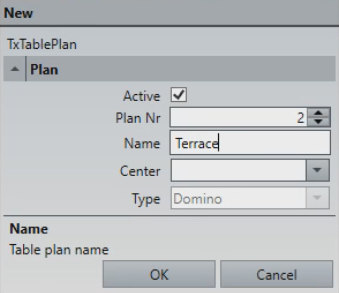
- In the New Table Plan menu, you can configure the following fields:
- Active: Enables or disables the table plan (Yes/No)
- Plan Nr: Table priority on the list, the higher the number, the lower the plan will appear on the list. This setting also affects the Sales mode table plan positioning
- Name: Table plan name
- Center: Center that table applies to (if used)
- Type: Enables visibility in either Domino or Handy
- In the Plan Nr field, enter "2", in the Name field, enter "Terrace" and select OK:
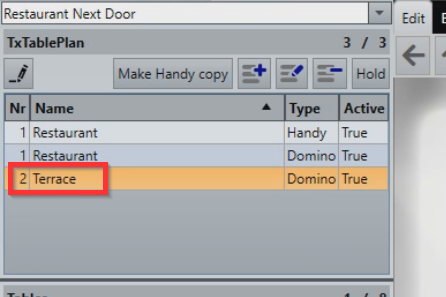
- A new table plan has now been added. To switch between table plans, click the table plan in the table plan list:
Creating new tables
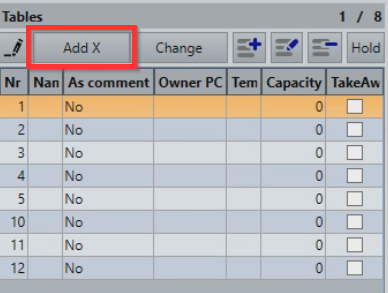
- If the table you would like to add is missing from the table list, select Add X above the table list to open the table creation menu:
- To add tables to the list starting with table 13 and to end with 16 (tables 13, 14, 15, 16), enter "13" as StartNr and "16" as EndNr:
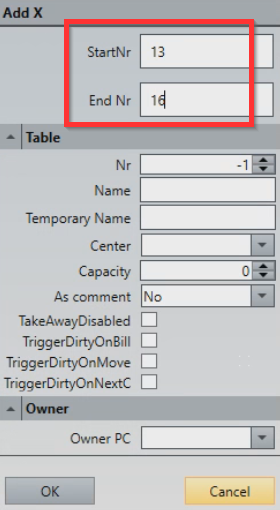
- Other table settings are:
- Nr - Table number to create (can create doubles)
- Name - Name that's always displayed on the table map, can be temporarily renamed. For more info, check out Renaming a table.
- Temporary Name - Temporary name valid until next day
- Center - Controls which center table is assigned to.
- Capacity - Configures a default number of covers on a table.
-
As comment - Used with puck system (e.g. Syscall), enabling it does not place order on a table on table map, table is instead displayed as a comment on the order ticket
- No (default settings) - Disables table as comment
- Yes - Enables tables as comment only
- Asked - Prompts for choice to use as comment
- TakeAwayDisabled - Disables TakeAway functionality on a table
- TriggerDirtyOnBill - Sets table as dirty after payment is completed
- TriggerDirtyOnMove - Sets table as dirty after move
- TriggerDirtyOnNextC - Sets table as dirty after nextcourse
- Owner - Configures which POS owns the table.
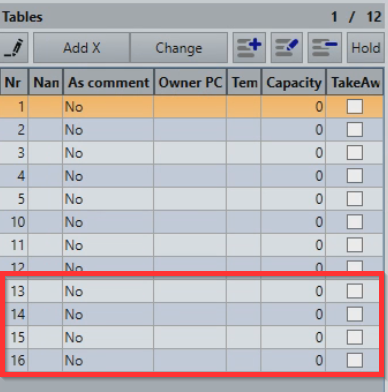
- New tables have now been added to the table list:
What's next?
To modify existing tables and table plans, check out Modifying tables and table plans.
Was this article helpful?
That’s Great!
Thank you for your feedback
Sorry! We couldn't be helpful
Thank you for your feedback
Feedback sent
We appreciate your effort and will try to fix the article