Trivec uses two models of Nets card terminals:
Current devices:
- Move/3500
- Lane/3000
Legacy devices that are being phased out:
- iWL250 (replaced by Move/3500)
- iPP350 (replaced by Lane/3000)
Devices
Move/3500
Ingenico Move/3500 is a Wi-Fi battery-powered terminal with an integrated printer. Devices are provided with a charging station.
Functionality:
- Baxi: Receive payment from POS and complete the transaction
or - Pay@Table: Fetch the table and complete the payment.
Note: Move/3500 can only run one of modes above, either Baxi or Pay@Table, but not both at the same time.
For info on how to connect this device to WiFi, check out Move/3500: Connecting to WiFi.
For info on how to configure the device settings, check out Move/3500: Configuring device settings.
Lane/3000

Ingenico Lane/3000 is a wired terminal without an integrated printer. It can be connected with a POS device via Ethernet or using a USB or serial cable.
Functionality:
- Baxi: Receive payment from POS and complete the transaction.
For info on how to configure the device settings, check out iPP350 & Lane/3000: Configuring device settings.
Legacy devices (phased out)
iwl250
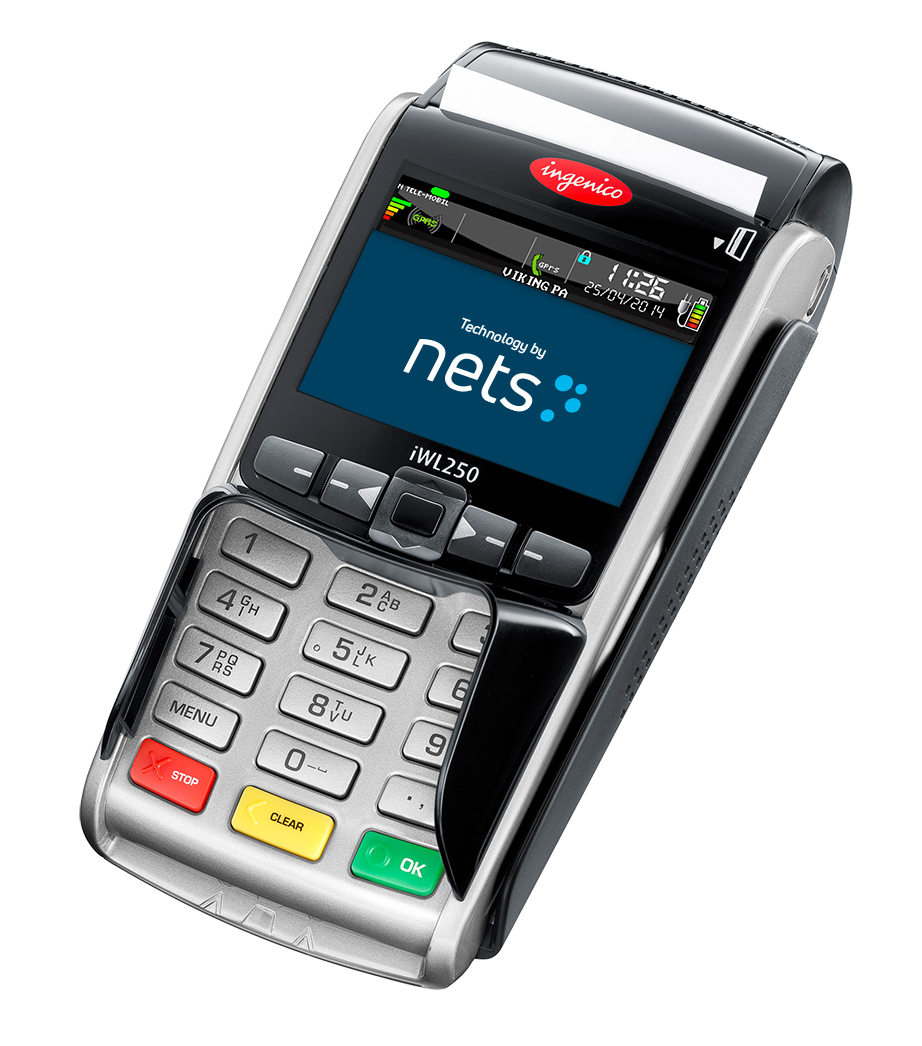
iWL250 is a wireless battery-powered terminal with an integrated printer. Connected to Bluetooth, it uses a docking station for charging and network connectivity. Devices are associated with specific docking stations, meaning 1 device communicates via 1 docking station. Docking stations can, in theory, be shared between devices, but it should be avoided.
Functionality:
- Baxi: Receive payment from POS and complete the transaction.
- Pay@Table: Fetch the table and complete the payment.
Note: iWL250 can run one of modes above, Baxi or Pay@Table, or both at the same time.
For info on how to configure the Pay@Table server IP address in the device, check out iWL250: Configuring P@T server address.
For info on how to pair device with docking station, check out : iWL250: Pairing device with the docking station.
For info on how to configure the device settings, check out iWL250: Configuring device settings.
ipp350
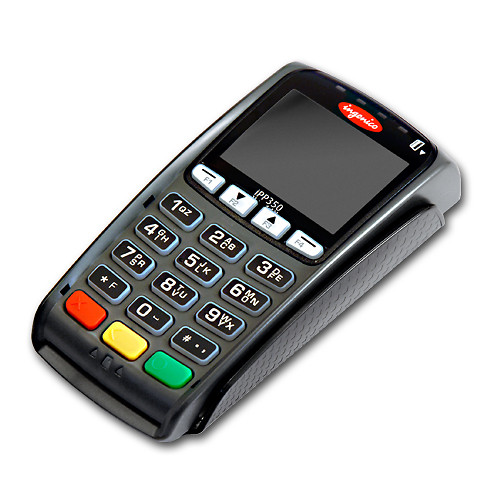
iPP350 is a wired terminal without an integrated printer. It can be connected with a POS device via Ethernet or using a USB or serial cable.
Functionality:
- Baxi: Receive payment from POS and complete the transaction.
For info on how to configure the device settings, check out iPP350 & Lane/3000: Configuring device settings.
Replacement procedure
For more info on the replacement of malfunctioning devices, check out Replacement of a faulty Nets device.
Was this article helpful?
That’s Great!
Thank you for your feedback
Sorry! We couldn't be helpful
Thank you for your feedback
Feedback sent
We appreciate your effort and will try to fix the article