This guide explains how to add memos and info products to orders.
Adding a memo
- Add products to order (for info on how to add products to the order, check out Direct sales - working without a table).
- Enter the order review page (for info on how to review orders, check out Reviewing and modifying orders).
- To add a memo (a note) to the product, select the Memo icon:
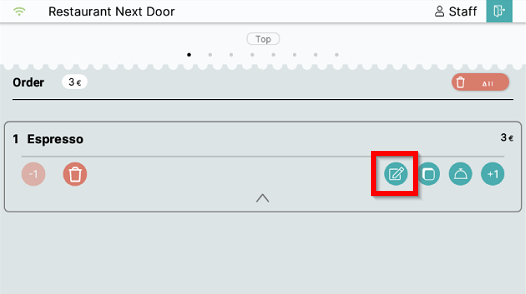
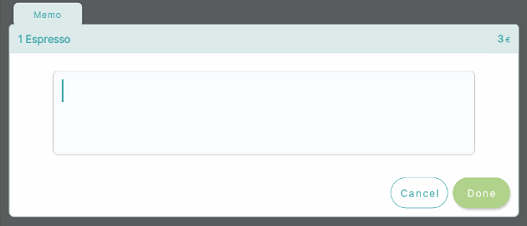
- A memo menu will display where you can enter a note that will be printed on the kitchen printer / displayed on the kitchen display with the product. Enter the text and select Done:
Adding an addon product
- Add products to order (for info on how to add products to the order, check out Direct sales - working without a table).
- Enter the order review page (for info on how to review orders, check out Reviewing and modifying orders).
- To add an addon to the product, select the Addon symbol:
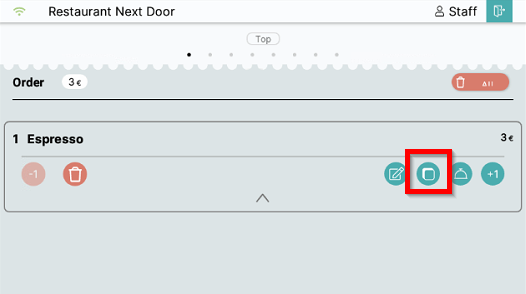
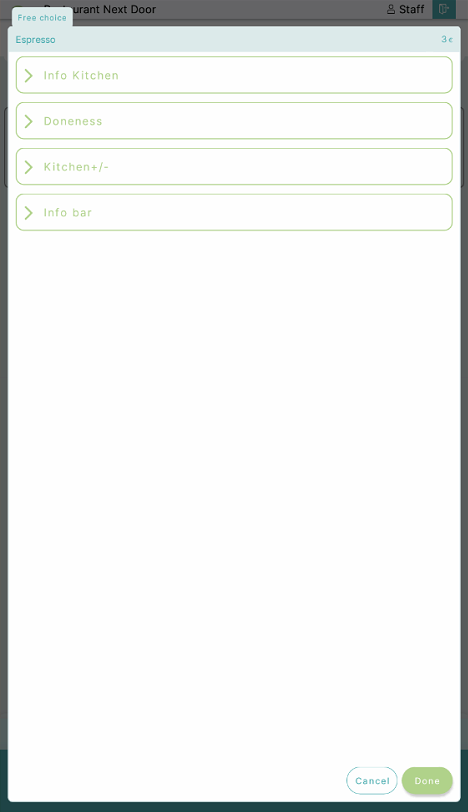
- Select which addon you want to add to the product and select Done:
What's next?
To place an order on a table, check out: Placing an order
Was this article helpful?
That’s Great!
Thank you for your feedback
Sorry! We couldn't be helpful
Thank you for your feedback
Feedback sent
We appreciate your effort and will try to fix the article